
- Build Real Web Applications from Scratch
- Learn Angular JS with Real Projects
- Start Freelancing as a Frontend Developer
- Learn Components, Routing & Data Binding
- Create Dynamic & Interactive Web Apps
- Work with APIs & Backend Integration
- Step-by-Step Guidance from Expert Developers
- Build Portfolio to Get Clients & Jobs
Web Application Development with Angular JS

🎯 Build Web Applications & Start Your Developer Career
Live Angular JS Training to Build Dynamic Web Apps, Get Freelance Projects & Job-Ready Skills
COURSE DESCRIPTION
What is Web Application Development with Angular JS course?
Looking for an Angular course near you? Ours runs live and online, so you join at your batch time, build the application along with your trainer, and get errors found on the spot instead of guessing alone.
This is a hands-on course, so you build a real application in the Angular framework across the 4 weeks rather than watching someone else build one. Every session has you writing code with your trainer watching the screen. You work through the core building blocks of Angular and how they fit together under the MVVM pattern, so the structure of an application makes sense to you before the syntax piles up.You cover TypeScript and ECMAScript 6 for building components, routes and screens, then templates and views, dependency injection, directives, forms and validation, data binding and pipes. Each of those is practised in the live session rather than described and left. You also build Angular services that talk to RESTful web APIs, handling the full set of CRUD operations, which is the part that turns a set of screens into a working application.
LiveTrainingLab Angular Course Goals
Users now expect a web app to behave like a desktop program: no full page reloads, instant filtering, forms that respond as you type. That expectation is what frameworks like Angular exist to meet. If you are thinking about joining our course and are not sure what it covers or whether it suits your level, the next few lines set it out plainly.
Here is a short walk through the course so you know what the 4 weeks actually cover.
Build a Real Angular Foundation, Step by Step
You start with TypeScript and the structure of an Angular application, then move up to components, services, routing and forms. Sessions are taught live in English or Urdu, with a coding task in each one that your trainer checks while you are still in class. Batches run at fixed times over 4 weeks.
Get Your Certificate After the 4 Weeks
You finish with a LiveTrainingLab certificate for the Angular course, issued once the 4 weeks and the final project are complete. The certificate helps, but the single page application you build in class is what a client or an employer will actually ask to see.
A working app you can show a client
Practice files from every live session
A final project to prove what you learned
Where Angular Skills Get Used at Work
Angular sits behind a lot of internal business software: dashboards, admin panels, booking systems, reporting tools and customer portals. Those are steady projects rather than glamorous ones, and by the end of 4 weeks you can build the front end of one and wire it to an API.
What You Will Learn in These Live Classes
- Using TypeScript and ECMAScript 6 to create components
- Using directives and components to define UI elements, routes and screens
- Working effectively with component lifecycle events
- Injecting dependencies to lessen coupling and increase testability
- Unit testing Angular applications with Karma and Jasmine
- Using property binding to link DOM elements with model data
- Building Single Page Applications using Angular 2
- Integrating forms with Angular 2
- Organizing code using modules
- Communicating with RESTful Web services
How Our Live Angular Classes Work
Every session is taught live by a trainer at a fixed time, with a small batch. You have your editor and terminal open and you build the application along with the class, so components, services and routes get written while somebody is there to check them. Share your screen and the trainer can read the console error with you.
Questions get answered as they come up, in English or Urdu. Each class ends with a coding task, and the next one opens by reviewing what you built. Over 4 weeks that leaves you with a working single page application rather than notes about one.
Why a Live Class Beats a Recorded Angular Course
Angular is where a lot of self-taught developers stall. The framework has opinions, the tooling has its own problems, and half the tutorials online target a version that no longer matches what you installed. An error in a build step is not something a video can help you with.
In a live class you share the screen and someone who has hit that error before tells you what it means. You also learn why the framework wants things arranged a certain way, which is what keeps a project maintainable once it grows past a few screens.
Course Schedule
| Start Date | Time | Seats Left | Price | |
|---|---|---|---|---|
| 26-Oct-26 : Mon | 12:00 PM | 2 | 15999 Rs | Register Now |
| 27-Oct-26 : Tue | 02:00 PM | 5 | 15999 Rs | Register Now |
| 28-Oct-26 : Wed | 04:00 PM | 1 | 15999 Rs | Register Now |
| 29-Oct-26 : Thu | 06:00 PM | 3 | 15999 Rs | Register Now |
| 30-Oct-26 : Fri | 08:00 PM | 4 | 15999 Rs | Register Now |
| 31-Oct-26 : Sat | 10:00 PM | 3 | 15999 Rs | Register Now |
| 01-Nov-26 : Sun | 10:00 AM | 2 | 15999 Rs | Register Now |
We provides this course in following city of Pakistan
- Karachi
- Islamabad
- Rawalpindi
- Azad Kashmir
- Lahore
- Sialkot
- Gujranwala
- Multan
- Gujrat
- Faisalabad
- Sahiwal
and other major cities in Pakistan.


100% online courses
Start instantly and learn at your own schedule.

Flexible Schedule
Set and maintain flexible deadlines.

Learn the latest skills
with on-demand training and development programs

Shareable certificate
Earn a Certificate upon completion
Shareable on Social Media
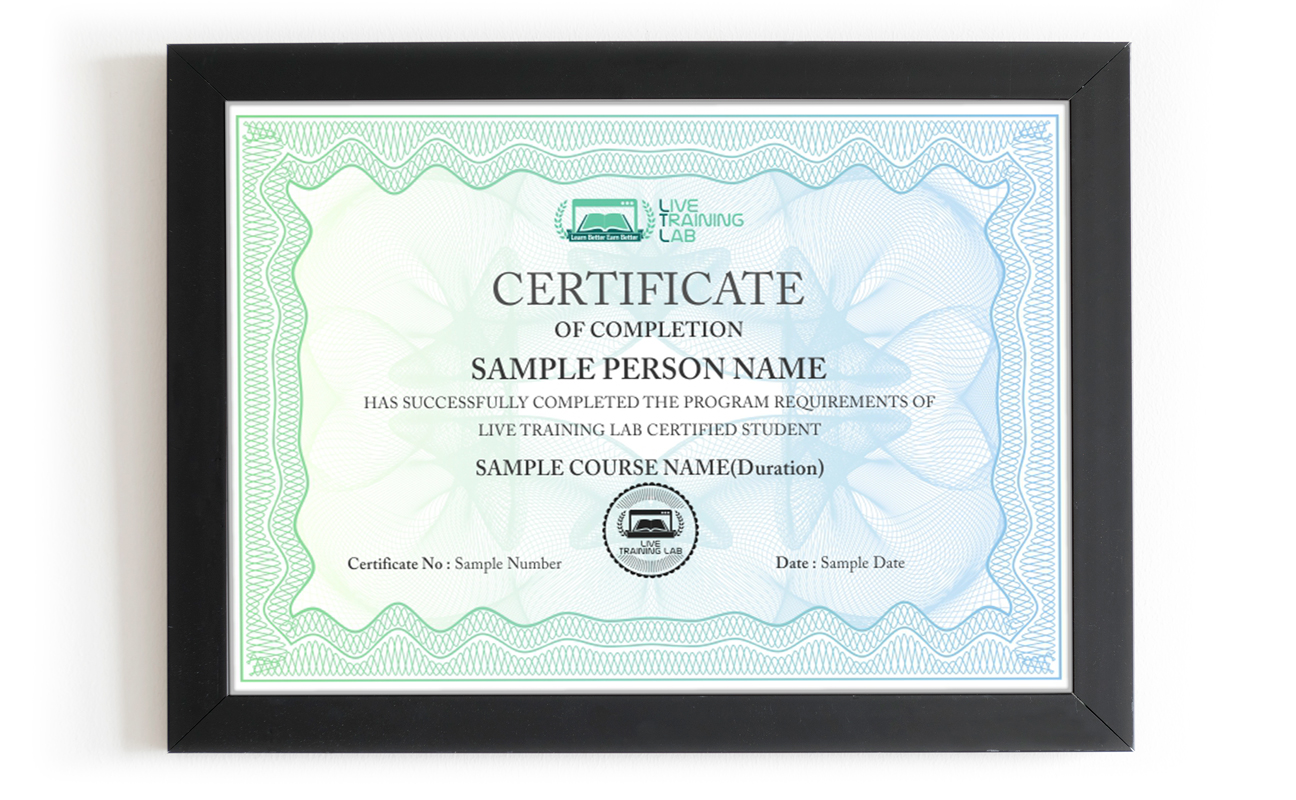
You can share your Certificate in the Certifications section of your social profile, on printed resumes, CVs, or other documents.
CURRICULUM
- Features and Benefits of Angular 2
- Angular 2 Architecture
- MVVM Design Pattern Overview
- Downloading Angular 2
- Referencing Angular 2 Using a CDN
- Choosing an IDE
- Creating a Simple Application with Angular 2
- Using Modules to Create an Application
- Default Modules
- Exporting Classes, Functions and Values
- Limiting Scope
- Grouping Modules
- Specifying Module Dependencies
- Organizing Code Files
- Module Testing
- Best Practices
- Overview of Angular 2 Built-In Directives
- Building Custom Directives
- Overview of Angular 2 Built-In Filters
- Building Custom Filters
- Dependency Injection
- Registering Providers with the Injector
- Creating a Service
- Consuming a Service
- Mocking a Service
- Working with Async Services and Promises
- Callbacks, Promises and Observables
- Importing the HTTP Module
- Creating Requests
- Processing Responses
- Web API
- Interacting with a RESTFul Service
- Interpolation
- One-Way (Unidirectional) Binding
- Two-Way Binding
- Event Binding
- Observables vs. Promises
- Working with Observables
- Dealing with Out of Order Responses
- Altering Observables with Reactive Extensions (Rx)
- Reactive Programming Model
- Structuring an Application with Feature Modules
- Bootstrapping an Application with Dependencies
- Sharing Code Between Modules
- Project Structure Best Practices
- SPA Characteristics and Advantages
- SPA Potential Drawbacks
- Structuring Templates in an SPA
- Security Challenges and Approaches for Angular 2 SPAs
- When Not to Use SPA Architecture
- TypeScript vs ECMAScript 6
- TypeScript Basics
- Types
- Utilities
- Setting Up and Using Node.js
- Transpiling TypeScript into JavaScript
- TypeScript Compiler Configuration
- TypeScript Declaration Files
- Installing Typings Files
- Component LifeCycle
- Component Templates to Define Views
- Using Decorators to Define MetaData
- Component Styles
- Encapsulation
- ElementRef and Popups
- ExportAs
- Lifecycle Hooks
- Change Detection
- Basic Data Binding
- Directives
- Built-In Pipes
- Custom Pipes
- Adding and Using Parameters
- Using a Pipe in a Component
- Data Pipes
- The Web Animations API
- States and Transitions
- Entering and Leaving
- Animating Properties
- KeyFrames
- Parallel Animation Groups
- Overview of Routing
- Client-Side vs Server-Side Routing
- Working with the Component Router
- Adding Router Imports
- Performing Router Configuration
- Using Router State
- Redirects
- Location Strategies
- Routing Parameters
- Router Lifecycle Events
- Nesting Routes
- Developing a Deployment Strategy
- Picking a Package Manager
- Using a Module Loader
- Angular CLI
- Using Gulp for More Complex Builds
- Managing Dependencies
- Using Sourcemaps
- Including Static Libraries and Files
- Transpiling
- Linting
- Handling Static Files
- Dealing with Internationalization Issues
- Template Driven Forms
- Form Components
- Using Control and ControlGroup
- Using the FormBuilder Factory
- Form State
- Form Validation
- NgModel and NgForm Directives
- Model Driven Forms
- FormGroup and FormControl Classes
- TDD vs End-to-End Testing
- Jasmine Testing Framework
- Running Tests in Karma
- Using the Angular 2 Unit Test Framework
- Testing Services and HTTP
- Using Test-Doubles (Mocks, Stubs and Spies)
- Testing Components
- Testing Forms
- Collecting Together Reference Material
- Final
- Presentation
Organizing Code Using Domain Models
Batches, Timings and the 4-Week Plan
The Angular course runs over 4 weeks and follows the curriculum above. Week one covers the architecture, MVVM, setting up Node.js and the CLI, TypeScript basics and transpiling. Week two is components and templates: lifecycle hooks, decorators, styles, data binding, directives and pipes. Week three moves to services and dependency injection, HTTP, observables and promises, and talking to RESTful APIs. Week four covers routing, template driven and model driven forms, validation, animations, unit testing with Karma and Jasmine, build and deployment, and the final project.
Batches run morning and evening so students and working people can both find a slot. Your timing is confirmed at enrolment, and the trainer stays reachable through the course.
Who This Angular Course Is For
Front-end developers who can build pages with HTML, CSS and JavaScript and now need to build applications. Back-end developers asked to produce a usable interface for their API. Students and graduates aiming at a front-end or full-stack role. Freelancers who keep being asked for dashboards and admin panels. Anyone maintaining an existing Angular project they did not write.
Basic JavaScript is the one thing worth having before you start, particularly functions, objects and arrays. TypeScript is taught from scratch in the first week, so no prior experience with it is needed.
Why Choose LiveTrainingLab for Angular
Angular is a JavaScript framework for building applications that run in the browser without reloading the page. It gives you structure out of the box: components, routing, forms and services, so a large project stays organised instead of turning into a pile of scripts.
Plenty of business applications built on AngularJS are still running and still need maintaining, so the skill has value. New projects generally use current Angular versions, and our course teaches the component-based approach those use, so you can work on either.
The LiveTrainingLab Angular course runs over 4 weeks of live classes, which is enough to build a working application with routing, forms and API calls. Getting fast with it comes from building more afterwards, so you keep the material and practice files.
Dashboards, admin panels, booking and inventory systems, e-commerce front ends and internal reporting tools are the usual ones. In class you build a single page application of your own, wired to a real API, so you finish with something to show rather than notes.
A tutorial cannot look at your screen when the build fails or a route silently does nothing. In a live class you share the screen and the cause is found in a minute, and you learn how it was found, which is the part that carries over to the next problem.
Language stops a lot of capable people from getting far with programming. The logic is there, the English is not, and the class moves too quickly to follow.
So our trainers teach the Angular course in English or Urdu, switching between the two mid-session when it helps someone follow. Ask your question in whichever language you think in. Batch timings are set when you enrol, and the course runs over 4 weeks.
Pages update in place instead of reloading, so filtering a list or submitting a form feels instant. Data binding keeps what the user sees in step with the data underneath, which removes a whole category of small bugs that make an app feel unreliable.
Basic JavaScript helps a great deal, particularly functions, objects and arrays, since TypeScript builds on it. You do not need to be fluent. Tell your trainer what you already know at enrolment and the early sessions will cover the gaps.
We want solid Angular skills to stay within reach of students and working people, not priced like a corporate bootcamp. The fee stays low without shortening the live sessions or crowding the batch.
Every student gets the same attention from the trainer, whichever batch they sit in. Ask us about current fee options when you enquire, and we will tell you what the 4-week course costs before you commit to anything.
No. TypeScript is taught from the beginning in the first week, including types, the compiler setup and how it transpiles to JavaScript. What helps most is basic JavaScript, since TypeScript builds directly on it.
A laptop or desktop with a reasonable amount of memory, a steady internet connection and a headset. Classes run on Zoom, so the app or a browser is enough to join. Your trainer will help you install Node.js, the Angular CLI and an editor in the first session.
About Instructor

Zohaib Baig
Before engineering, I developed and implemented CI (Continuous Improvement) management systems in companies across America in various industries to include a military finance organization.
₨32,000.00₨16,000.00