- Design Flyers, Brochures & Posters Clients Pay For
- Learn Desktop Publishing from Beginner to Advanced
- Create Real Marketing Designs During Training
- Start Freelancing with Design Skills
- Learn Layout, Text & Graphic Design Techniques
- Use Ready Templates to Work Faster & Smarter
- Build Portfolio to Get Design Clients
- Improve Your Job Opportunities with Design Skills
Microsoft Publisher Training Course.
Learn Microsoft Publisher & Start Earning with Design Skills
Live Online Training to Create Flyers, Brochures & Marketing Designs – Build Skills for Freelancing & Jobs
COURSE DESCRIPTION
What Is the Microsoft Publisher Training Course?
In our live Publisher Essential Training, your trainer takes you through building real publications: brochures, flyers, newsletters, menus and cards. You lay them out yourself during the session rather than watching someone else do it. The examples come from actual jobs, not sample files. You work through the publication types Publisher offers, then get into text frames and typography, shapes and pictures, tables, and the layout side that separates a tidy design from a cluttered one: master pages, building blocks, backgrounds and the Design Checker. Mail merge gets its own sessions, so you can produce a hundred personalised letters or invitations without retyping anything. Printing is covered properly too, including commercial print settings and packing a file for a printing press. Exercise files come with the course and stay with you afterwards. Looking for a Publisher course near you? Ours runs live and online, so there is no travel and no fixed classroom. You join the session at a set time, design in your own file while the trainer watches, and get your questions answered on the spot.
LiveTrainingLab Publisher Course Goals
Every shop, school, clinic and small business needs printed material at some point. Flyers, menus, price lists, invitations, newsletters. Publisher is the tool that gets those out the door without a design degree, which is why the skill sells locally and on freelance sites alike. If you are thinking about joining our Publisher course and you are not sure what it covers or whether it suits your level, here is a plain answer. The 4-week plan runs from text and objects through graphics, tables and layout to mail merge and print preparation, and you practise each part live with your trainer.
Here is a short walk through the course so you know what the 4 weeks actually cover.
Build Your Publisher Skills From the Ground Up
You start with text frames, shapes and pictures, then move up to master pages, templates, tables and mail merge. Sessions are taught live in English or Urdu, with a design task in each one that the trainer checks while you are still in class. Batches run at fixed times over 4 weeks, and you join from home.
Get Certified at the End of the 4 Weeks
You finish with a LiveTrainingLab certificate for the Publisher course, issued once the 4 weeks and the final work are complete. The certificate is useful, but the flyers, brochures and newsletters you design in class matter more, because that is what a client or an employer wants to see.
A design portfolio you build during class
Exercise files from every live session
A course certificate at the end of the 4 weeks
Where Publisher Skills Get Used and Paid For
Publisher work turns up wherever printed material does. Marketing and admin staff producing flyers and newsletters, schools printing certificates and event cards, shops making menus and price lists, and freelancers taking small design jobs from local businesses. By the end of 4 weeks you can take a brief and hand back a print-ready file.
What You Will Learn in These Live Classes
- Introduction
- Getting Started
- Working with Text
- Working with Objects
- Working with Graphics
- Formatting Objects
- Working with Tables
- Customizing Layout and Design
- Designing Publications for the Web
- Using mail Merge
- Printing and Sharing Publications
How Our Live Microsoft Publisher Classes Work
Every session is taught live by a trainer at a fixed time, with a small batch. You open Publisher on your own machine and design along with the class, so frames, images and master pages get built while somebody is there to check them. Share your screen and the trainer can see why your text is overflowing or why a picture looks stretched.
Questions get answered as they come up, in English or Urdu. Each class ends with a short design task, and the next one opens by looking at what you produced. Over 4 weeks that leaves you with finished publications rather than notes about them.
Why a Live Class Beats a Recorded Publisher Course
Design is the one subject where feedback is the whole lesson. A video can show you which button applies a drop shadow. It cannot tell you the shadow is the reason your flyer looks cheap, or that your headline is fighting with your logo.
A trainer looks at your page and says so, while you still have time to change it. You also learn the print side properly, which is where most self-taught work falls apart: wrong margins, low resolution images, no bleed. Add a fixed class time and a task somebody is waiting to see, and far more students actually reach week four.
Course Schedule
| Start Date | Time | Seats Left | Price | |
|---|---|---|---|---|
| 26-Oct-26 : Mon | 12:00 PM | 5 | 15999 Rs | Register Now |
| 27-Oct-26 : Tue | 02:00 PM | 2 | 15999 Rs | Register Now |
| 28-Oct-26 : Wed | 04:00 PM | 1 | 15999 Rs | Register Now |
| 29-Oct-26 : Thu | 06:00 PM | 5 | 15999 Rs | Register Now |
| 30-Oct-26 : Fri | 08:00 PM | 5 | 15999 Rs | Register Now |
| 31-Oct-26 : Sat | 10:00 PM | 4 | 15999 Rs | Register Now |
| 01-Nov-26 : Sun | 10:00 AM | 4 | 15999 Rs | Register Now |
We provides this course in following city of Pakistan
- Karachi
- Islamabad
- Rawalpindi
- Azad Kashmir
- Lahore
- Sialkot
- Gujranwala
- Multan
- Gujrat
- Faisalabad
- Sahiwal
and other major cities in Pakistan.


100% online courses
Start instantly and learn at your own schedule.

Flexible Schedule
Set and maintain flexible deadlines.

Learn the latest skills
with on-demand training and development programs

Shareable certificate
Earn a Certificate upon completion
Shareable on Social Media
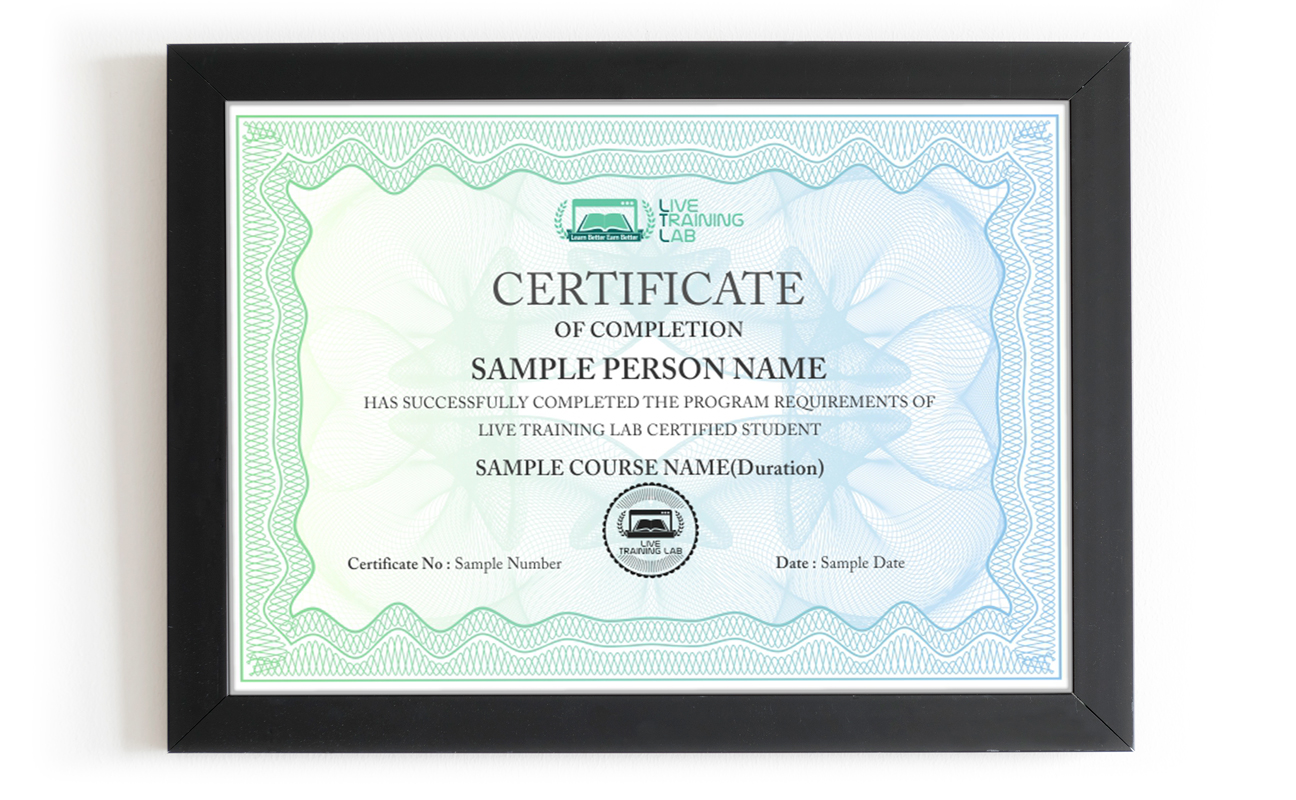
You can share your Certificate in the Certifications section of your social profile, on printed resumes, CVs, or other documents.
CURRICULUM
Section 1: Introduction
Section 2: Working with Text
Section 3: Working with Objects
Section 4: Working with Graphics
Section 5: Formatting Objects
Section 6: Working with Tables
Section 7: Customizing Layout and Design
Section 8: Designing Publications for the Web
Section 9: Using Mail Merge
Section 10: Printing and Sharing Publications
Batches, Timings and the 4-Week Plan
The Publisher course runs over 4 weeks and follows the ten sections in the curriculum above. Week one covers getting started and working with text: frames, lists, line spacing, AutoFit, linked text and typography. Week two moves to objects and graphics, from shapes and the scratch area to pictures, captions, clip art and WordArt. Week three covers formatting, layering, tables, master pages, templates and building blocks. Week four is web publications, mail merge, and preparing files for print or a commercial printer.
Batches run morning and evening so students and working people can both find a slot. Your timing is confirmed at enrolment, and the trainer stays reachable through the course.
Who This Publisher Course Is For
Small business owners printing their own flyers, menus and price lists. Marketing and admin staff producing newsletters and event material. School and college staff making certificates, invitations and notices. Anyone who wants to take small design jobs from local clients without buying expensive software first.
No design background is needed, and no previous course either. If you can type and open a file, you have enough to start week one. If you already use Publisher and want the layout, merge and print side, mention it at enrolment and the early sessions get adjusted to your level.
Why Choose LiveTrainingLab for Publisher
Plenty of people try to learn Publisher from recorded videos and PDF files. It looks cheap and flexible, and then the folder sits untouched after the first week. Nobody looks at your layout, nobody tells you the margins are off and the text will get cut at the printer, and there is no set day when the next lesson happens.
When we ask learners why the self-study route did not work for them, the answer is usually a version of the same thing.
Reading a PDF never built the skill. It turned into memorising menus instead of actually designing a page. With a recording there is nobody to ask when your text frames will not link or an image prints blurry, and no work that gets checked. A live class fixes both. You share your screen, the trainer sees the problem while it is happening, and you sort it out in the same session.
So the safer route is a live Publisher class with a trainer who designs publications for real use, watches your screen while you lay out a page, and sets the pace to suit you. In our sessions your trainer will:
- Start at your level, from your first flyer or from wherever your design work already needs you to be.
- Give you a design task in every session and correct your mistakes on the spot, so the habit actually sticks.
Take your questions in English or Urdu, so you can ask freely and leave the session with the concept clear rather than half understood.
There is no shortage of people selling design training online, and the quality swings wildly from one to the next. Before you pay for any Publisher course, ask a few plain questions about the class itself. Who teaches it, is it live or a playback, how big is the batch, what do you get to keep, and what happens if you miss a session. Here is where we stand on each of those:
-
Up to date Publisher exercise files and a student guide you keep after the course
- A Publisher course certificate once the 4 weeks and the final work are done.
- A fixed batch timing and a trainer you can reach through the whole course.
Live sessions with screen sharing, taught in English or Urdu.
Fees and timings told to you clearly before you enrol.
-
You do not have to take our word for it. Sit in on a live LiveTrainingLab session first, see how the trainer handles questions, and decide after that.
The Publisher course runs as a live class with a student guide and ready-made exercise files, so there is always something in front of you to work on. The design briefs come from trainers who produce print work themselves, not from a generic manual. We are a Pakistan-based team, and students join our batches from home, from the office and from outside the country.
Two things we hear often from students:
- Many learners simply cannot travel to a classroom every week.
- Others hesitate to ask questions in front of a full room.
A live online class removes both problems. You join the session from wherever you are, with your camera on or off, and you can type your question in the chat if you would rather not speak. The trainer answers it in the same class, so nothing gets carried over to next week.
- You join from home, on camera or with your mic only, whichever suits you.
You can ask the trainer to repeat a step as many times as you need.
Our trainers design real print work outside the classroom, which is why the briefs look like paying jobs rather than textbook drills. We would rather show you than tell you.
So LiveTrainingLab lets you sit in on a live session before you enrol. Watch how the class runs, ask a question, and decide from there. If it does not suit you, you have lost nothing but an hour.
Language stops a lot of capable people from getting far with software training. The eye for design is there, the English is not, and the class moves too quickly to follow.
So our trainers teach the Publisher course in English or Urdu, and they switch between the two mid-session when it helps someone follow. Ask your question in whichever language you think in. Batch timings are set when you enrol, and the course runs over 4 weeks.
LiveTrainingLab runs every class with screen sharing, so a session works much like sitting beside your trainer. You lay out the page, the trainer watches it happen, and the correction comes while the file is still open in front of you.
- Your trainer watches your design during the exercise and steps in the moment something drifts out of alignment, so you are never left stuck until the next session.
- Batches stay small, and you can ask in the chat or on mic, so there is no waiting for a turn and no feeling that you are holding the class up.
Trainers set the pace from what they see on your screen, and because audio and video run both ways, questions and answers go back and forth right through the session instead of piling up at the end.
LiveTrainingLab students leave with more than a certificate at the end of the 4 weeks. Here is what comes with the Publisher course:
- Real design briefs to practise on
- Course material and exercise files, free
- Guidance on building a design portfolio
We want solid Publisher skills to stay within reach of students and working people, not priced like a corporate workshop. The fee stays low without shortening the live sessions or crowding the batch.
Every student gets the same attention from the trainer, whichever batch they sit in. Ask us about current fee options when you enquire, and we will tell you what the 4-week course costs before you commit to anything.
It is live from the first class to the last. Your trainer teaches in real time, watches your shared screen while you design, and answers questions in the same session. Nothing is a replay of an older batch.
A laptop or desktop with Microsoft Publisher installed, a steady internet connection and a headset. Classes run on Zoom, so the app or a browser is enough to join. If your connection drops mid-session, message your trainer and you can catch up on the part you missed.
₨32,000.00₨16,000.00