
- Learn Word, Excel, PowerPoint & Outlook in One Course
- Create Professional Documents, Reports & Presentations
- Analyze Data & Build Reports Using Excel
- Design Professional Slides for Meetings & Projects
- Manage Emails, Tasks & Schedule Efficiently
- Work on Real Office-Based Practical Projects
- Improve Speed, Accuracy & Daily Work Efficiency
- Complete Skill Required for Office Jobs
Microsoft Office Professional Training Course
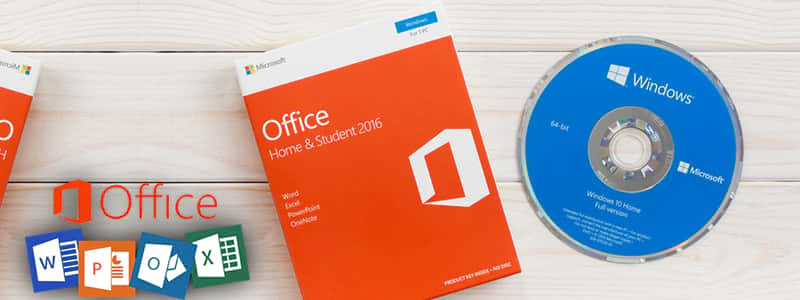
Master Microsoft Office & Become Job Ready
Live Online Training to Learn Word, Excel, PowerPoint & Outlook – Build Complete Office Skills for Jobs & Career Growth
COURSE DESCRIPTION
What is the Complete Microsoft Office Professional Training course?
This hands-on course is for anyone who wants to get comfortable with Microsoft Office quickly, whether you’re a student, job seeker or working professional. Over 4 weeks you’ll practice Word, Excel, PowerPoint and Outlook in live sessions with a trainer, building real documents, spreadsheets and presentations instead of just watching demos.
Looking for Microsoft Office training in Pakistan? Our live online classes bring the trainer to you, so location never gets in the way of learning.
-
Microsoft Word lets you build structured, professional documents fast: styles, headers, tables, mail merge and templates that make reports and letters look polished without extra design work.
-
Microsoft Excel is where most office work actually happens: formulas, functions, pivot tables and charts. You’ll practice building real spreadsheets and reports the way they’re used in day-to-day office jobs.
-
PowerPoint rounds out the course: designing clean slides, using transitions and layouts that keep an audience’s attention, and putting a presentation together quickly for meetings or interviews.
Online Microsoft Office Courses
MS Office is one of the most widely used skill sets in offices everywhere, and most admin, data entry and coordination roles in Pakistan expect it. Learning it properly, from a live instructor rather than random videos, is what actually helps you use it confidently on the job.
One of the fastest ways to actually get comfortable with Word, Excel, Access and PowerPoint is a course that starts from the basics and builds up in live sessions, not a stack of pre-recorded videos. A live MS Office course like this one gives you the knowledge and the hands-on practice you need for a genuinely useful office career, since you’re working the tools yourself with a trainer watching and correcting you.
Along with Word, Excel and Access, this course helps you build the kind of practical skills companies actually look for: formatting reports, tracking data, managing schedules and handling day-to-day office paperwork. That combination is useful whether you’re aiming for an admin role, an accounts assistant position, or just want to be faster at your current job.
Why Choose LTL Training
Most people looking at Office courses aren’t sure where to start: which version to learn, whether Word or Excel matters more for their job, or if a short course is even enough to get hired. If that’s where you are right now, you’re not alone, and it’s exactly what this course is built to sort out
Here’s a quick, straightforward breakdown to clear all of that up.
Get Qualified With Practical Live Training
Build a solid foundation in Word, Excel, PowerPoint and Outlook, taught live in English, Urdu or Hindi, whichever you’re most comfortable in. Each session includes real practice tasks so you’re building confidence with the actual tools, not just watching a trainer talk.
Get Certified With In-Demand Office Skills
Finish the course with a certificate in Microsoft Office, a skill that shows up in almost every job listing for admin, coordination and support roles. It’s one of the few qualifications that’s genuinely useful across nearly any industry you end up working in.
Office skills are used in almost every workplace
Word and Excel show up in most job listings
Demand for people who know Office properly keeps growing
Get Hired For In-Demand Office Roles
Office skills open doors well beyond IT: admin assistant, data entry, coordinator, accounts support and virtually any role that involves reports, spreadsheets or presentations. It’s one of the few skill sets that helps no matter which industry you land in.
What Will You Learn
- Office 2010 First Glance
- Office 2010 File Formats
- Office 2010 Shared Features
- What’s New in Word 2010
- What’s New in Excel 2010
- What’s New in Power Point 2010
- What’s New in Access 2010
- What’s New in Outlook 2010
- What’s New in OneNote 2010
- What About Web App
Course Schedule
| Start Date | Time | Seats Left | Price | |
|---|---|---|---|---|
| 26-Oct-26 : Mon | 12:00 PM | 1 | 15999 Rs | Register Now |
| 27-Oct-26 : Tue | 02:00 PM | 3 | 15999 Rs | Register Now |
| 28-Oct-26 : Wed | 04:00 PM | 2 | 15999 Rs | Register Now |
| 29-Oct-26 : Thu | 06:00 PM | 1 | 15999 Rs | Register Now |
| 30-Oct-26 : Fri | 08:00 PM | 4 | 15999 Rs | Register Now |
| 31-Oct-26 : Sat | 10:00 PM | 4 | 15999 Rs | Register Now |
| 01-Nov-26 : Sun | 10:00 AM | 4 | 15999 Rs | Register Now |
We provides this course in following city of Pakistan
- Karachi
- Islamabad
- Rawalpindi
- Azad Kashmir
- Lahore
- Sialkot
- Gujranwala
- Multan
- Gujrat
- Faisalabad
- Sahiwal
and other major cities in Pakistan.


100% online courses
Start instantly and learn at your own schedule.

Flexible Schedule
Set and maintain flexible deadlines.

Learn the latest skills
with on-demand training and development programs

Shareable certificate
Earn a Certificate upon completion
Shareable on Social Media
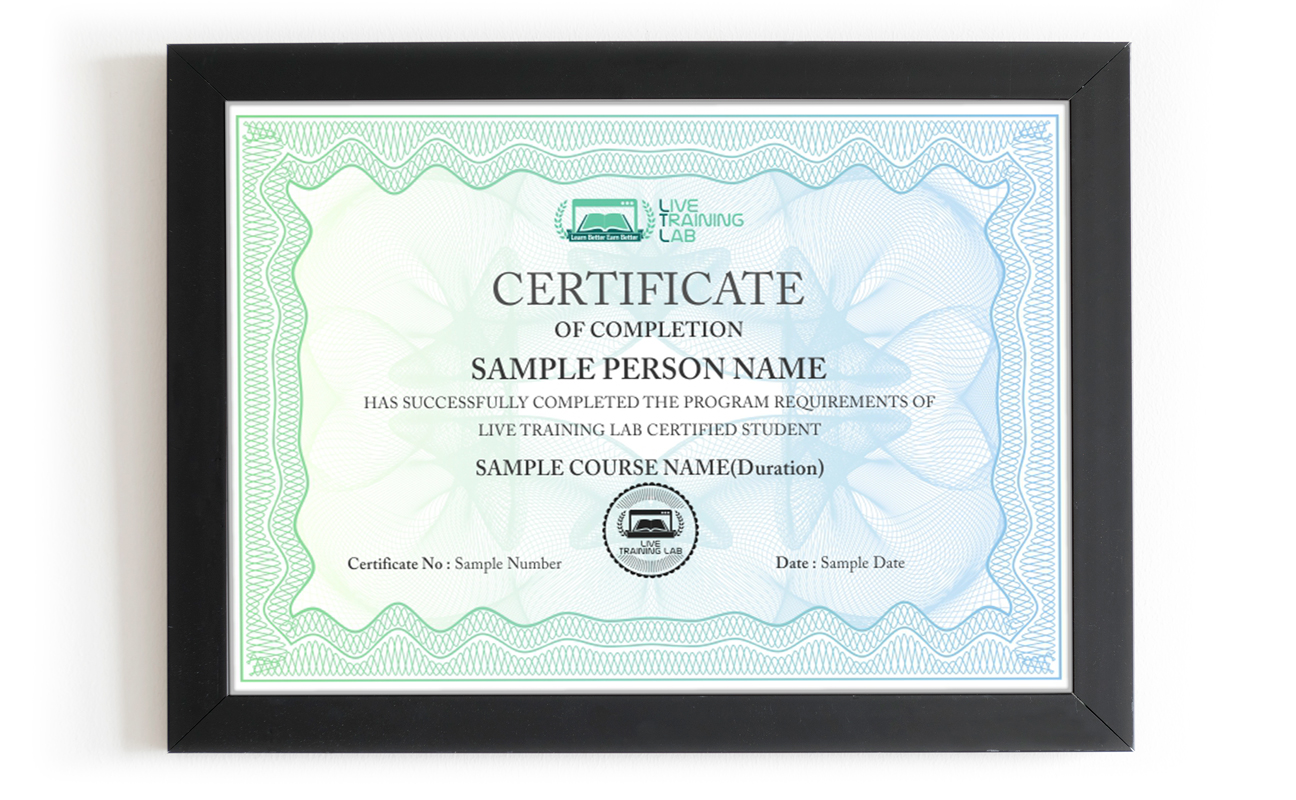
You can share your Certificate in the Certifications section of your social profile, on printed resumes, CVs, or other documents.
CURRICULUM
- Office 2010 First Glance
- Lecture 1
- Lecture 2
- Lecture 3
- Office 2010 File Formats
- Lecture 1
- Lecture 2
- Lecture 3
- Office 2010 Shared Features
- Lecture 1
- Lecture 2
- Lecture 3
- What’s New in Word 2010
- Introduction
- Getting Started with Word 2010
- Word Backstage: From “New” to “Print”
- Editing Text
- Formatting Text
- Formatting Paragraphs
- Using Styles for More Effective Formatting
- Working with Tables
- Illustrating a Document
- Document Building Blocks
- Modifying Page Layouts
- What’s New in Excel 2010
- Introduction
- Getting Started
- Worksheet Basics
- Excel Formula Basics
- Essential Formatting
- Advanced Formatting
- Printing Preparation
- Large Excel Projects
- Collaborating with Others
- Exploring Excel’s Database Features
- Analyzing Data
- Advance Analysis with Pivot Tables
- Creating and Using Charts
- Creating and Using Macros
- Customizing Excel
- Conclusion
- Exercise Files
- What’s New in PowerPoint 2010
- Introduction
- Understanding the PowerPoint 2010 Interface
- Getting Started
- Formatting a Presentation
- Adding Tables and Charts
- Working with Shapes
- Adding Audio and Video
- Adding SmartArt and Diagrams
- Sharing with Others
- What’s New in Access 2010
- Introduction
- Access Basics
- Creating a First Database and Using the Tools
- Setting Up the Data
- Building Structure
- Formatting and Appearance
- Forms
- Queries
- Reports
- Putting Data to Work
- Advanced Tools in the Database
- Automating with Macros
- Using Other Applications with Access
- What’s New in Outlook 2010
- Introduction
- Getting Started
- Working with Contacts
- Reading and Organizing Email
- Sending Email
- Managing Spam
- Working with the Calendar
- Getting Organized
- Exploring Additional Features
- What’s New in OneNote 2010
- Introduction
- Getting Started
- Adding Content to Notes
- Formatting Notes
- Viewing and Organizing Information
- Interacting with Outlook
- Working with Tables
- Using Writing Tools
- Using Stationery and Templates
- Formatting Pages
- Printing
- Sharing Notebooks
- Researching with OneNote
- Collaborating on Notebooks
- What About Web App
- Lecture 1
- Lecture 2
- Lecture 3
How The Live Classes Work
Every session is live and instructor-led, not a recorded video you watch on your own. You join from your computer, follow along on your own copy of Word, Excel, PowerPoint or Outlook, and work through real tasks while your trainer watches and corrects you as you go.
Sessions run over 4 weeks, moving from the basics into the features people actually use at work: formatting documents, building formulas, putting together presentations, and managing email and schedules properly. If something doesn’t click the first time, you can ask again right there instead of rewatching a video and hoping it makes more sense.
Batch And Schedule Structure
The course runs for 4 weeks, with regular live sessions each week covering Word, Excel, PowerPoint and Outlook in turn. Batches are kept small enough that your instructor can actually check your work, not just talk at a room.
If you have a day job or classes of your own, that’s fine, batches are scheduled at fixed times so you know exactly when to show up, and you can ask your instructor about timing options before you enroll. What stays constant is that every session is live and real-time, with your trainer present the whole way through.
Who This Course Is For
This course fits students preparing for their first job, working professionals who need to move faster in Word and Excel, and anyone switching careers into an admin, coordination or data-entry role. It also works well for freelancers who want to offer document or spreadsheet work to clients.
You don’t need any prior experience with Office. The course starts from the basics in week one and builds up from there, with live feedback the whole way so you’re not left guessing whether you’re doing something right.
Why Choose Live Training Lab ?
Office skills are in demand year after year, but a lot of people waste money on courses that are just PDFs, slides and pre-recorded videos. Watching a video is not the same as actually doing the work yourself.
When we asked students who’d struggled with self-paced courses before what went wrong, the answer came up again and again.
““PDFs and pre-recorded quizzes never actually built our skills, it just felt like memorizing for a test. And whenever we got stuck, there was no one to ask on the spot.” That’s the gap live training closes: a real instructor, right there, when you get stuck.
That’s why live classes work better: a qualified Microsoft Office instructor
- Can start you at the right level, whether you’re brand new to Office or already know the basics.
- Gives you hands-on tasks with feedback right away, so you build real, usable Office skills instead of just following along.
Lets you ask questions freely in English, Urdu or Hindi, whichever makes it easiest for you to actually understand and remember.
Plenty of places claim to teach Microsoft Office, but not all of them are worth your time or money. Before you sign up anywhere, here’s what an Office training program should actually offer.
-
Updated Microsoft Office training material, including a student guide and practice files for every module
- A Microsoft Office course certificate as soon as you complete the 4-week program.
- A support-first approach: if you’re falling behind, your instructor works with you to catch up rather than leaving you stuck.
A complete Microsoft Office training course, taught live in both English and Urdu, whichever suits you.
A complete Microsoft Office training course priced to be genuinely affordable.
-
No need to take anyone’s word for it, come see why Live Training Lab is worth choosing.
We offer a full Microsoft Office training course on a live platform, with a student guide and practice files prepared by our own instructors. Students have joined us from Pakistan and abroad, and the course is built the same way every time: live, practical, and focused on real office work.
Learning shouldn’t depend on where you live or how confident you feel walking into a classroom
- Some students can’t easily get to a physical classroom because of mobility, distance or time.
- Others feel more comfortable asking questions from home than in a crowded classroom.
Live online classes solve both problems: you join from wherever you are, on camera with your trainer, and you can ask questions as often as you need to without feeling rushed or judged.
- Office skills also open the door to remote and freelance admin work, which more companies are hiring for every year.
There are more freelance platforms than ever listing data entry, virtual assistant and office support work for people who know Word and Excel well.
We’d rather you judge us by the class itself than by what we say about ourselves. Our instructors have real, hands-on experience with the tools they teach.
So sit in on a trial session first and see how a live class actually runs before you commit to the full 4-week course.
A lot of capable students get held back by English-only courses, not by a lack of skill.
That’s why every Microsoft Office class here is taught live in English, Urdu or Hindi, whichever helps you actually understand and keep up.
Live Training Lab runs classes live through remote access software, so your instructor can see your screen and help you directly while you work.
- Your instructor can see your screen in real time and step in the moment you get stuck on an exercise.
- It also takes the pressure off. Some students find it easier to ask questions from home than to raise a hand in a packed classroom.
Two-way audio and video keeps the session interactive, so it’s a real back-and-forth with your instructor rather than a one-way lecture.
LTL is proud of the students who’ve come through this program. At the completion of the Microsoft Office course, we offer:
- Live-paid projects
- Free course training Material
- High Designation jobs in leading IT industries world-wide
Our goal is to make solid Office training affordable, not to price out the people who need it most.
We treat every student personally rather than as just another enrollment, and we’re upfront about pricing before you commit to the 4-week course.
It’s fully live. Every class runs with an instructor present in real time, not pre-recorded lessons you watch on your own. You can ask questions, share your screen, and get feedback during the session itself, over the full 4-week course.
A laptop or desktop with a stable internet connection is enough, along with Microsoft Office installed so you can practice alongside your instructor. Classes run through Zoom, and your instructor will send you the joining details before your first session.
₨32,000.00₨16,000.00