
- Learn to Create & Manage Professional Databases
- Organize Large Data Easily for Business Use
- Build Tables, Forms & Reports Step-by-Step
- Use Queries to Find & Analyze Data Quickly
- Automate Tasks & Improve Work Efficiency
- Work on Real Database Projects During Training
- Essential Skill for Office Jobs & Data Roles
- Improve Your Career with Data Management Skills
Microsoft Access Training Course

Master Microsoft Access & Manage Data Like a Pro
Live Online Training to Create Databases, Reports & Manage Business Data Efficiently for Office Jobs
MS Access Certification Through Live Online Classes
What is the Microsoft Access Training Course?
In our Access Essential Training, LiveTrainingLab walks you through building a database from the first blank file, and also shows you when a ready-made template is the faster route. Everything happens in a live session, so you are building along with the trainer rather than watching a demo. Across 4 weeks you go step by step through tables, relationships, forms, queries, macros, reports and charts, and you build them for a real record-keeping job rather than a toy example. Exercise files come with the course and stay with you afterwards, so you can rebuild anything you want more practice on.
Looking for an Access training course close to home? Ours is live and online, so there is no travel involved. You join the session at a fixed time, share your screen while you build the database, and get corrections from your trainer in the same class.
Microsoft Access Database Management Course
Microsoft Access turns a messy pile of records into something you can search, filter and report on in seconds. In this live 4-week course you learn database design, form creation, queries and report building, starting from the basics and moving into the parts most people never touch. Beginners are welcome, and if you already keep data in Access, tell the trainer at the start so the pace matches you.
Here is a short walk through the course so you know what the 4 weeks actually cover.
Build Your Access Skills From the Ground Up
You start with how a database is put together, then move into query design and pulling useful answers out of your data. Sessions are taught live in English or Urdu, with a practical task in each one that the trainer checks while you are still in class. Batches run at fixed times over 4 weeks, and you join from home.
Get Certified at the End of the 4 Weeks
You finish with a LiveTrainingLab certificate for the Access course, issued once the 4 weeks and the final work are complete. Along the way you cover database management, forms, queries, macros and reports. The certificate is useful, but the databases you build in class are what you can actually show at work.
Where Access Skills Get Used at Work
Access shows up wherever records need managing: inventory and stock, admissions and student records, patient files, customer lists, orders and small business accounts. Anyone who currently keeps that data in a sprawling spreadsheet is the person this course is written for. By the end of 4 weeks you can build a working database with proper tables, forms for entry, and reports that print cleanly.
What You Will Learn in These Live Classes
- Master creating databases.
- Efficiently organize data tables.
- Develop advanced querying skills.
- Create user-friendly data entry forms.
- Generate insightful and appealing reports.
- Ensure accuracy through effective validation.
- Manage relationships between tables.
- Learn essential SQL for data manipulation.
- Automate tasks with macro development.
- Implement measures for database protection.
How Our Live Microsoft Access Classes Work
Every session is taught live by a trainer at a fixed time, with a small batch. You open Access on your own machine and build along with the class, so the table, form or query gets made while somebody is there to check it. Share your screen and the trainer can see why a relationship will not save or why a query is returning nothing.
Questions get answered as they come up, in English or Urdu. Each class ends with a short task, and the next one opens by looking at what you produced. Over 4 weeks that leaves you with working databases rather than pages of notes.
Why a Live Class Beats a Recorded Access Course
Access is unforgiving in a way that PowerPoint is not. One wrong field type, one missing primary key, and nothing after that behaves. With a recorded course you are on your own at exactly that point, and most people quit there.
In a live class you show the trainer your screen and the problem gets found in a minute or two. You also get feedback on your own database rather than the tidy sample file in the video. Add a fixed class time and a task somebody is waiting to see, and far more students actually reach week four.
Course Schedule
| Start Date | Time | Seats Left | Price | |
|---|---|---|---|---|
| 26-Oct-26 : Mon | 12:00 PM | 5 | 15999 Rs | Register Now |
| 27-Oct-26 : Tue | 02:00 PM | 4 | 15999 Rs | Register Now |
| 28-Oct-26 : Wed | 04:00 PM | 3 | 15999 Rs | Register Now |
| 29-Oct-26 : Thu | 06:00 PM | 2 | 15999 Rs | Register Now |
| 30-Oct-26 : Fri | 08:00 PM | 4 | 15999 Rs | Register Now |
| 31-Oct-26 : Sat | 10:00 PM | 4 | 15999 Rs | Register Now |
| 01-Nov-26 : Sun | 10:00 AM | 4 | 15999 Rs | Register Now |
We provides this course in following city of Pakistan
- Karachi
- Islamabad
- Rawalpindi
- Azad Kashmir
- Lahore
- Sialkot
- Gujranwala
- Multan
- Gujrat
- Faisalabad
- Sahiwal
and other major cities in Pakistan.


100% online courses
Start instantly and learn at your own schedule.

Flexible Schedule
Set and maintain flexible deadlines.

Learn the latest skills
with on-demand training and development programs

Shareable certificate
Earn a Certificate upon completion
Shareable on Social Media
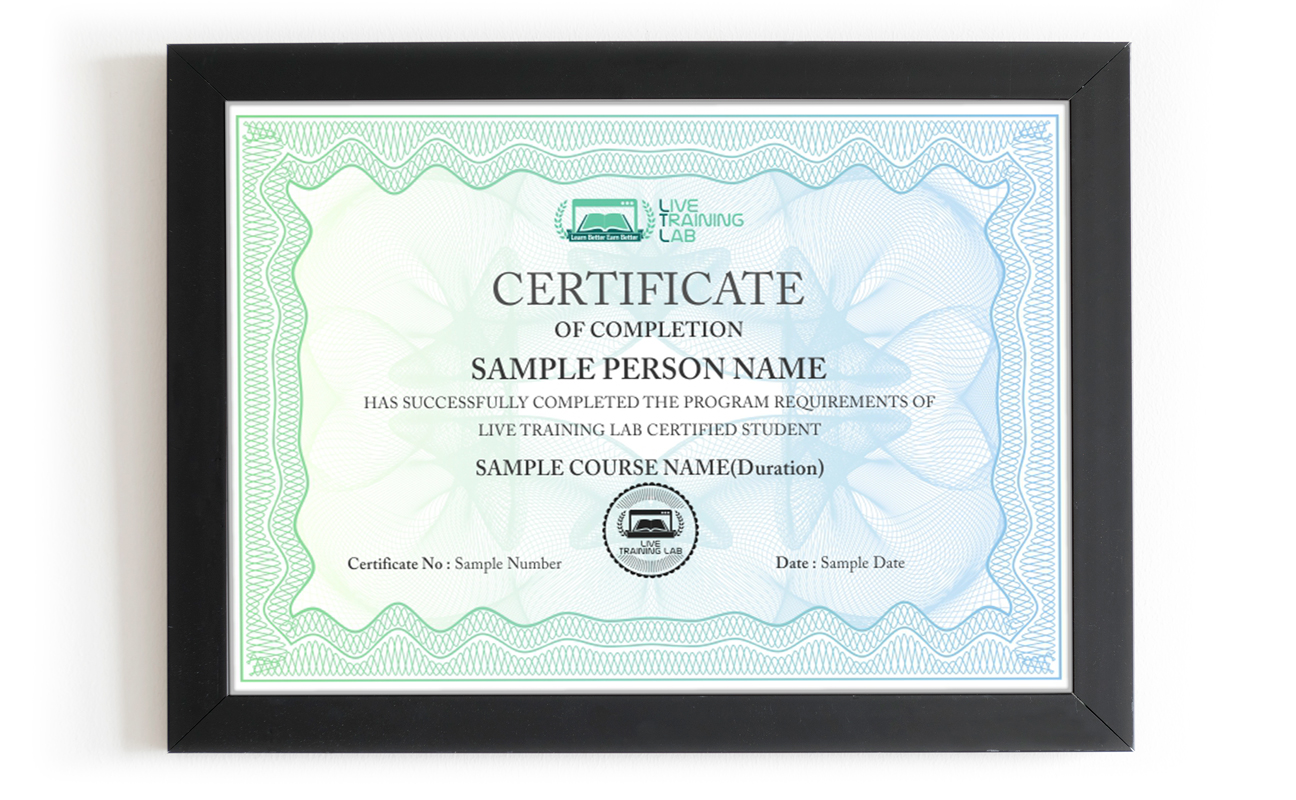
You can share your Certificate in the Certifications section of your social profile, on printed resumes, CVs, or other documents.
CURRICULUM
- Installing and setting up Microsoft Access
- Using the exercise files
- Database concepts and terminology
- Starting Access
- Creating a new file
- Trusting a file
- The Quick Access toolbar
- Backstage view
- Exploring ribbons
- Using the Navigation pane
- Getting help
- Planning and designing your database
- Creating tables using Application Parts
- Creating tables in Layout view with Quick Start
- Creating and editing tables in Design view
- Setting a primary key
- Creating a lookup field
- Creating multi-value fields
- Using calculated fields
- Setting field properties
- Setting input masks
- Setting validation rules
- Creating relationships and enforcing referential integrity
- Viewing subdatasheets
- Entering data into your tables
- Formatting tables
- Finding, sorting, and filtering records
- Creating data-entry forms
- Using the Form Wizard
- Modifying a form in Layout view
- Using Design view
- Setting tab stops
- Adding buttons to a form
- Using navigation forms
- Introduction to queries
- Using the Query Wizard
- Creating a query in Design view with criteria
- Creating wildcard queries
- Creating reusable parameter queries
- Creating yes/no queries
- Creating “and” and “or” queries
- Building calculation queries
- Creating statistical queries
- Using update queries
- Using delete queries
- Creating crosstab queries
- Introduction to reports
- Using the Report Wizard
- Formatting reports in Layout view
- Identifying report structure in Design view
- Adding group and sort capabilities to a report
- Adding existing fields from other tables
- Adding totals and subtotals to a report
- Adding conditional formatting and data bars to a report
- Creating multi-table reports
- Creating mailing labels
- Printing reports
- PivotTables
- PivotCharts
- Creating macros
- Using data macros
- Attaching macros to objects
- Compacting and repairing a database
- Using data analysis tools
- Encrypting a database and setting a password
- Splitting a database
- Importing Excel and text data
- Exporting data into Excel
- Exporting to PDF
- Exporting into a Word Mail Merge
- Publishing to a web browser in HTML or XML
- Sharing via email
- Collecting data over email
- Importing and exporting with SharePoint
- Publishing to SharePoint
- Using Package and Sign
- Customizing the ribbons
- Setting Access options
Batches, Timings and the 4-Week Plan
The Access course runs over 4 weeks. Week one covers database concepts, the interface, planning your design and building tables. Week two moves into field properties, validation, input masks, relationships and referential integrity. Week three is queries and forms, from the wizard through to parameter, calculation and crosstab queries. Week four covers reports, macros, importing from Excel, exporting to PDF, and securing the file.
Batches run morning and evening so students and working people can both find a slot. Your timing is confirmed at enrolment, and the trainer stays reachable through the course.
Who This Microsoft Access Course Is For
Office staff whose data has outgrown a spreadsheet. Admin and accounts teams keeping records of stock, orders, students or patients. Anyone asked to produce the same report every month by hand. Small business owners who want a proper customer list. Students who need Access for a project or an exam.
No programming background is needed. If you can work in Excel, you have enough to start week one. If you already keep a database running and want the query and macro side, say so at enrolment and the early sessions get adjusted to your level.
Why Choose LiveTrainingLab for MS Access
Plenty of people try to pick up Access from recorded videos and PDF files, and most give up somewhere around the first broken relationship between two tables. There is nobody to ask, and the video keeps playing. Our live Access training works differently:
- Live sessions with a trainer who works with databases every day.
- Pace set to your level, from your first table through to macros.
- A database task in every session, checked while you are still in class.
- Questions answered in English or Urdu, whichever you think in.
Join a live Access batch instead. You build the database while the trainer watches, and you leave the 4 weeks able to design, query and report on data yourself.
Before you pay for any Access course, ask what you actually get. Here is where we stand:
- Up to date exercise files and practice databases you keep afterwards.
- Live sessions with screen sharing, taught in English or Urdu.
- A certificate once the 4 weeks and the final work are done.
- A fixed batch timing and a trainer you can reach through the course.
- Fees and timings told to you clearly before you enrol.
Ask us for the next batch timing and we will tell you exactly how the 4 weeks run.
-
You do not have to take our word for it. Sit in on a live LiveTrainingLab session first, see how the trainer handles questions, and decide after that.
The MS Access course runs as a live class with a student guide and ready-made lab files, so there is always something in front of you to work on. The exercises come from trainers who build databases for real use, not from a generic manual. We are a Pakistan-based team, and students join our batches from home, from the office and from outside the country.
Not everyone can travel to a classroom every week, and plenty of capable people hesitate to speak up in a room full of strangers. A live online class solves both. You join from wherever you are, with your camera on or off, and you can type your question in the chat if you would rather not talk. The trainer answers it in the same session.
Our trainers work with databases outside the classroom too, which is why the exercises look like real jobs rather than textbook drills. Rather than asking you to trust a slogan, LiveTrainingLab lets you join a live session before you enrol. Watch how the class runs, ask a question, and decide from there.
Language stops a lot of capable people from getting far with database software. The skill is there, the English is not, and the class moves too quickly to follow.
So our trainers teach the MS Access course in English or Urdu, and they switch between the two mid-session when it helps someone follow. Ask your question in whichever language you think in. Batch timings are set when you enrol, and the course runs over 4 weeks.
LiveTrainingLab runs every class with screen sharing, so a session works much like sitting beside your trainer. You build the table or the query, the trainer watches it happen, and the correction comes while the file is still open in front of you.
- Your trainer watches your practice database during the exercise and steps in the moment a query returns the wrong result, so you are never left stuck until the next session.
- Batches stay small, and you can ask in the chat or on mic, so there is no waiting for a turn and no feeling that you are holding the class up.
Trainers set the pace from what they see on your screen, and because audio and video run both ways, questions and answers go back and forth right through the session instead of piling up at the end.
LiveTrainingLab students leave with more than a certificate at the end of the 4 weeks. Here is what comes with the MS Access course:
- Real database briefs to practise on
- Course material and exercise files, free
- Guidance on showing your database work in interviews
We want solid Access skills to stay within reach of students and working people, not priced like a corporate workshop. The fee stays low without shortening the live sessions or crowding the batch.
Every student gets the same attention from the trainer, whichever batch they sit in. Ask us about current fee options when you enquire, and we will tell you what the 4-week course costs before you commit to anything.
It is live from the first class to the last. Your trainer teaches in real time, watches your shared screen while you build tables and queries, and answers questions in the same session. Nothing is a replay of an older batch.
A laptop or desktop with Microsoft Access installed, a steady internet connection and a headset. Classes run on Zoom, so the app or a browser is enough to join. If your connection drops mid-session, message your trainer and you can catch up on the part you missed.
₨32,000.00₨16,000.00