- Design Social Media Posts & Graphics Clients Pay For
- Learn Photo Editing & Retouching Like a Pro
- Create Logos, Banners & Marketing Designs
- Start Freelancing on Fiverr & Upwork
- Work on Real Design Projects During Training
- Learn Layers, Tools & Professional Techniques
- Build Portfolio to Get Your First Client
- Turn Your Skills into Monthly Online Income
Photoshop Training Course

🎯 Learn Photoshop & Start Earning with Design Skills
Live Online Photoshop Training to Create Designs, Edit Photos & Start Freelancing – No Experience Required
PHOTOSHOP TRAINING CERTIFICATION
Photoshop is the one skill that turns up in almost every creative job advert, whether the role is design, marketing, photography or social media. You do not need a camera or a design background to start, and this course assumes neither. Photoshop handles everything from a quick colour fix to building an image that never existed. Retouching, background removal, compositing and layout all live in the same program, which is why it stays worth learning even as other tools come and go.
You do not need a training centre in your own city for this. Classes are live and online, so you join from home anywhere in Pakistan and share your screen back when you want your file checked.
The course is hands on from week one. You learn non-destructive editing, which means working with Camera Raw, masks, layers, blending modes, filters and smart objects so nothing is baked in permanently and every change stays reversible. That habit is what separates a file a client can request changes to from one you have to start again. The focus stays on the work people actually get paid for, which is retouching, colour correction, cropping and composition, combining several images into one convincing scene, and adding shapes and type on top. Basic video handling in Photoshop is covered too, since short clips now sit alongside static posts in most social work.
You also learn to diagnose problems rather than guess at them. Why an edge looks cut out, why a colour shifts when you export, why a file balloons to 400MB. Your trainer works through these live on your own files, which is where most of the real learning happens.
Learn Photoshop Online: Advance Your Career as a Digital Artist
This course is not self-paced. Sessions run live at fixed timings across 4 weeks, and that is deliberate, because people who learn Photoshop alone usually stop somewhere around layer masks. You will need a computer, a steady internet connection and access to Photoshop, and your trainer will go through the current licence options in the first class. Photoshop is used by professional designers and hobbyist photographers alike, which is exactly why so much conflicting advice exists about how to learn it. The difference here is that somebody watches your work. You do the exercise, share your screen, and get told what went wrong while you can still fix it.
Complete beginners and people already using Photoshop both do fine in the same batch. Beginners start with the interface, tools and layers. Anyone who already knows their way around usually joins for masking, smart objects and colour work, which are the areas self-taught users tend to skip. Smart objects let you scale, rotate and filter a layer as many times as you like without ever losing quality, because the original data stays intact underneath. Once you understand them, you stop dreading the moment a client asks for the logo to be bigger again. The later sessions cover the retouching toolkit properly, so the Spot Healing Brush, the Healing Brush, the Patch tool, the Clone Stamp, gradients and selective colour replacement. Each one has a job it is best at, and knowing which to reach for is most of the skill.
Across the 4 weeks you build a set of finished pieces rather than a folder of exercises. That matters because nobody hires a designer or retoucher on the strength of a certificate. They look at the work, decide quickly, and move on, so the portfolio is what the course is really producing.
Looking for a Photoshop course you can attend without leaving home? LiveTrainingLab is Pakistan-based, and every session runs live and online, so students join from anywhere with a steady connection. Batches are small, timings are fixed, and the course runs 4 weeks from the interface to your final pieces.
Photoshop for Beginners
This course starts from zero. If you have never opened Photoshop, or you have been clicking around for a while without ever understanding layers, week one is written for you. You cover the interface, the tools panel, how documents are set up, and the handful of shortcuts that save hours later. Everything gets demonstrated live before you are asked to try it. Each session ends with something to make, and it gets critiqued in the next class. By the end of the 4 weeks you will be able to retouch a photo, cut a subject out cleanly, build a layered composition and produce a social post or banner from a brief. That is enough to take on small paid work while you keep improving.
Get qualified with Experts-Recommended institute
Build a proper base in Photoshop over 4 weeks of live classes, taught in Urdu and English so nothing gets lost in translation. You go from the interface and selections through to masking, retouching, colour correction and layered compositions. Each session ends with a task on a real file, and your trainer reviews it in the next class.
Get Certified After Finishing the Course
Finish the 4 weeks, complete your assignments and the final pieces, and you receive a course completion certificate from LiveTrainingLab. The certificate is worth attaching to an application, but the work behind it is what gets judged, which is why every week produces something finished rather than an exercise.
Get Hired or Start Freelancing
Photoshop skills are asked for by agencies, marketing teams, printers, photographers and ecommerce brands, and retouching and social design are two of the easier services to sell freelance. What you earn depends on your portfolio rather than your certificate, which is why the course is built around producing one you can show.
What Will You Learn
- Find your way around the Photoshop interface.
- Create and optimize images/documents efficiently.
- Master advanced selection skills for editing.
- Apply advanced printing techniques.
- Work with short video clips in Photoshop.
- Use smart objects for non-destructive editing.
- Set up documents and workspaces properly.
- Apply expert image resizing techniques.
- Create and format text layers creatively.
- Employ layer masks and blend modes.
- Enhance images with expert cropping and sharpening.
How Our Live Photoshop Classes Run
Every session is live. Your trainer shares a screen, works through a real file, and explains why each layer, mask or adjustment goes where it does. Then you share your screen back, and that is the part that matters, because a mask that looks fine at 100 percent falls apart at 400 and only somebody watching will tell you.
The course runs 4 weeks with fixed class timings. Each session covers one set of tools, then you get a file to work on before the next class. Your work gets critiqued live, honestly but without anyone being embarrassed. Batches stay small enough that everyone’s file gets opened, not just the first two people who speak up.
Who This Course Suits
Complete beginners join most often, with no design background at all. Photographers join for retouching and Camera Raw. Social media and marketing people join because designing their own posts is faster than briefing someone else every week. Self-taught users join because they can get a result but never learned masks, so every edit is permanent and every revision means starting again.
You do not need drawing skills or an expensive machine. Any laptop from the last few years that runs Photoshop comfortably is fine. What you do need is a steady internet connection and enough time each week to finish the file between sessions.
Course Schedule
| Start Date | Time | Seats Left | Price | |
|---|---|---|---|---|
| 26-Oct-26 : Mon | 12:00 PM | 1 | 15999 Rs | Register Now |
| 27-Oct-26 : Tue | 02:00 PM | 5 | 15999 Rs | Register Now |
| 28-Oct-26 : Wed | 04:00 PM | 5 | 15999 Rs | Register Now |
| 29-Oct-26 : Thu | 06:00 PM | 4 | 15999 Rs | Register Now |
| 30-Oct-26 : Fri | 08:00 PM | 2 | 15999 Rs | Register Now |
| 31-Oct-26 : Sat | 10:00 PM | 2 | 15999 Rs | Register Now |
| 01-Nov-26 : Sun | 10:00 AM | 1 | 15999 Rs | Register Now |
We provides this course in following city of Pakistan
- Karachi
- Islamabad
- Rawalpindi
- Azad Kashmir
- Lahore
- Sialkot
- Gujranwala
- Multan
- Gujrat
- Faisalabad
- Sahiwal
and other major cities in Pakistan.


100% online courses
Start instantly and learn at your own schedule.

Flexible Schedule
Set and maintain flexible deadlines.

Learn the latest skills
with on-demand training and development programs

Shareable certificate
Earn a Certificate upon completion
Shareable on Social Media
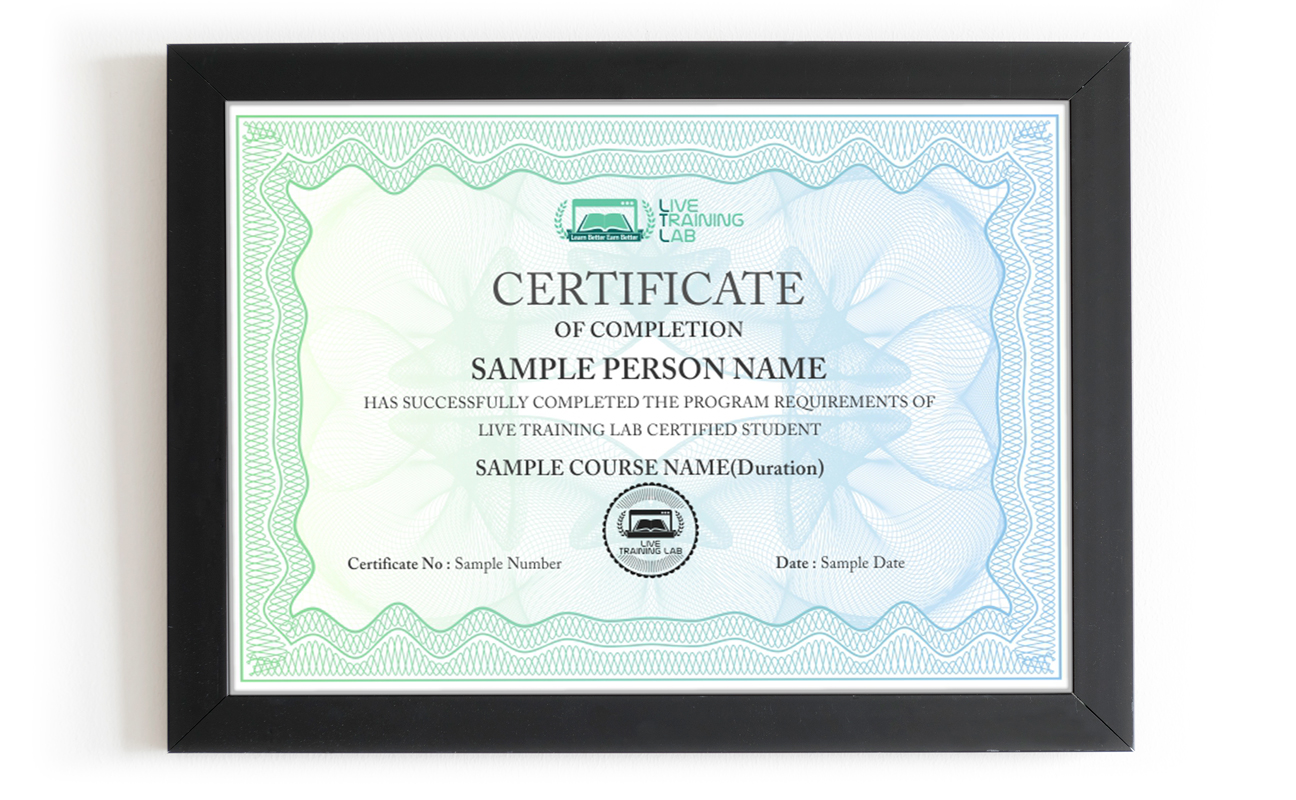
You can share your Certificate in the Certifications section of your social profile, on printed resumes, CVs, or other documents.
CURRICULUM
- Understanding Bridge
- Discovering the Tools panel
- Accessing tools and their options
- Using panels
- Customizing your panels
- Hidden tools
- Navigating the image area
- Using the Zoom features
- Maximizing productivity with screen modes
- Navigating files using Bridge
- Using folders in Adobe Bridge
- Making a Favorite to easily access Photoshop files and locations
- Creating and locating metadata
- Opening a file from Adobe Bridge
- Searching for files using Adobe Bridge
- Saving a Collection
- Automation tools in Adobe Bridge
- The importance of good selections
- Using the Marquee tools
- Changing selections into layers
- Working with the Magic Wand tool
- Using Photoshop’s Lasso tool
- Adding to and subtracting from selections
- Saving selections
- Feathering selections
- Using the Quick Selection tool
- Making difficult selections in Photoshop using Refine Edge
- Using Quick Mask
- Copying and pasting selections
- Using Photoshop’s Pen tool for selections
- Converting a Photoshop path to a selection
- Setting-up Photoshop’s color settings
- Color primer: understanding color
- Understanding color gamut
- The RGB color model
- The CMYK color model
- Editing color settings
- Selecting colors in Photoshop
- Starting to paint color corrections
- Using the Color panel
- Using Photoshop’s Brush tool
- Changing opacity
- Using the Brush Presets
- Using the Airbrush feature
- Applying color to an image
- Changing Photoshop’s blending modes
- The Eyedropper tool
- Retouching images
- Using the Clone Stamp tool
- Repairing fold lines
- Using the History panel
- Working with the Spot Healing Brush
- Fixing images with Photoshop’s Healing Brush
- Using the Patch tool
- Using the Clone Source panel
- Cloning from another source
- Choosing Photoshop color settings
- Photoshop Color Modes: working in RGB when color correcting
- Reading a Photoshop histogram
- Making Curve adjustments
- Benefits of defining a highlight and shadow
- Locating the White and Black Point
- Entering the white and black point values
- Adjusting midtones in an image
- Setting the neutral
- Sharpening images in Photoshop
- Taking care of red eye
- Using the Camera Raw plug-in
- Using Camera Raw controls
- Saving and reopening a DNG file
- Adding image area: expanding an image using Photoshop
- Viewing the on-screen ruler
- Converting the Background into a layer
- Scaling the background
- Using Photoshop’s Content-Aware Fill
- Content-Aware Moves in Photoshop
- Content–Aware retouching in Photoshop
- Discovering Photoshop layers
- Selecting layers
- Moving layers
- Changing the visibility of a layer
- Using masks in a layer
- Preserve transparency in a Photoshop image
- Creating a composition: merging images together in Photoshop
- Moving images in from other documents
- Creating a layer mask
- Editing the layer mask
- Cloning Photoshop layers
- Aligning and distributing layers
- Creating a type layer
- Applying filters to layers
- Creating a clipping mask
- Filtering Photoshop layers
- Adding textures and overlays
- Working with stock images and licensing
- Batch processing and actions
- Exporting for web and social media
- Exporting for print and packaging files
- Building a social media post from a brief
- Collecting Together Reference Material
- References
- Final Assessment Task
- Final Presentation
- End of course
Batches, Timings and the 4-Week Plan
The course runs for 4 weeks in live batches. Message us for the current class timings and the next start date, because seats in each batch are limited on purpose.
Week one covers the interface, Bridge, document setup and selections, which is the foundation everything else sits on. Week two is colour and painting, so colour modes, the brush tools, blending modes and applying colour to an image. Week three is retouching and correction, including the healing tools, the Clone Stamp, curves, sharpening and Camera Raw. Week four is layers and composition, covering masks, clipping masks, type layers, filters, content-aware work and building a finished piece you can put in a portfolio.
Why Non-Destructive Editing Matters
Most self-taught Photoshop users work destructively without realising it. They erase pixels, flatten layers, sharpen the original, and then the client asks for the background to be lighter and the whole thing has to be redone from scratch. That single habit costs more hours than any missing shortcut.
This course teaches the other way round from the start. Layer masks instead of the eraser, adjustment layers instead of direct edits, smart objects instead of resizing pixels, Camera Raw for anything that came off a camera. It is slightly slower on day one and dramatically faster by the third revision, which is why professional retouchers work this way and why we insist on it in every assignment.
Why Choose LiveTrainingLab for This Course?
The one where somebody looks at your work. Photoshop is not hard to watch, it is hard to get right, and the difference shows up in edges, masks and colour. In these live classes you share your screen, your trainer works through your file with you, and every week produces a finished piece for your portfolio.
Fees vary a lot depending on the institute, the format and how long the course runs. Message us for the current fee for this batch and what it includes. Worth asking any provider whether classes are live, how many students share a session, and what happens if you miss one, because those three answers explain most price differences.
Photoshop alone can get you junior design, retouching or social media work, and it is often the first skill listed on those adverts. Pairing it with basic layout or a second tool makes you far more employable. What employers ask to see is a portfolio, so build one while you learn rather than afterwards.
It works well as part of one. Very few people are employed purely as a Photoshop operator, but it sits underneath graphic design, marketing, photography, ecommerce and social media roles. Treat it as a core skill you build others around rather than a career on its own.
You can be usefully productive within weeks and still be learning years later. This course runs 4 weeks and takes you from the interface to layered compositions and retouching, which is enough to start paid work. The advanced end, like complex compositing and high-end retouching, keeps developing with practice.
Language should not be the thing that stops you learning this. Plenty of capable people give up on Photoshop courses because everything arrives in English at a pace they cannot follow. Our trainers teach in Urdu and English together, so terms like clipping mask, feathering and blending mode get explained in whichever language lands. Sessions run live at fixed timings across the 4 weeks.
None at all. Most students arrive having never opened Photoshop, and week one assumes exactly that. What helps more than experience is doing the weekly task, because the people who fall behind are almost always the ones who skipped two in a row rather than the ones who started with no background.
Yes, you receive a course completion certificate once you finish the 4 weeks and submit your final pieces. Be honest with yourself about what it does, though. It shows you completed structured training, but the portfolio you build alongside it is what a client or employer will actually judge.
We keep the fee reasonable because most of the people who join are students or early in their careers, and a course nobody can afford helps nobody. Message us for the current fee, the next batch timing and whatever payment options are running at the time. If money is genuinely the obstacle, say so and we will tell you honestly what we can do.
You will need access to Photoshop to complete the practical work, since watching without doing teaches very little here. Your trainer will go through the current options in the first session, including the free trial and the cheaper Adobe subscription tiers. Nothing else needs buying, and the techniques transfer to other editors if you switch later.
Any laptop from the last few years that runs Photoshop reasonably will do, and 8GB of memory makes life easier once you start stacking layers. Classes run on Zoom, so a normal broadband line or a stable mobile connection is enough, though you will want it steady for screen sharing. A phone will not work for the practical parts. If your connection drops mid-session, tell the trainer and we will help you cover what you missed.
₨32,000.00₨16,000.00