
- Build Real Websites from Scratch During Training
- Learn HTML, CSS & JavaScript Step-by-Step
- Create Responsive Websites for Mobile & Desktop
- Add Interactivity with JavaScript
- Start Freelancing as a Web Developer
- Work with Real Projects & Live Practice
- Learn Website Structure, Design & Functionality
- Turn Your Skills into Online Income
HTML 5 With JavaScript and Css 3 Course

🎯 Become a Frontend Developer with HTML, CSS & JavaScript
Live Online Training to Build Responsive & Interactive Websites from Scratch – Start Your Freelancing Journey
COURSE DESCRIPTION
What is HTML5 with JavaScript and CSS3 course?
This HTML5, CSS3 and JavaScript course takes you from an empty file to a working, responsive website. You write the markup, the styling and the scripts yourself in every live session, so the three sit together in your head the way they do in a real project.
Looking for an HTML5 and JavaScript course near you? Ours runs live and online, so you join at your batch time, code along with your trainer, and get errors found on the spot instead of guessing alone.
HTML5 brings its own set of features: semantic structure tags, richer form elements and validation, native audio and video, Canvas for drawing, and browser APIs such as geolocation and storage. You use each of them in the live sessions rather than reading a list.
CSS3 handles the look, from selectors, the box model and positioning through to transitions and responsive layouts that hold together on a phone. JavaScript then adds the behaviour, so the course also covers DOM work, event handling, form validation, JSON and Ajax.
Looking for somewhere solid to learn front-end development? LiveTrainingLab runs live online HTML5, CSS3 and JavaScript batches open to students anywhere in Pakistan, so where you live makes no difference to the class you get.
LiveTrainingLab Front-End Course Goals
Every website anyone visits is built from the same three things: HTML5 for structure, CSS3 for appearance and JavaScript for behaviour. Learn those properly and everything else in front-end work sits on top of them. If you are unsure what the course covers or whether it suits your level, the next few lines set it out plainly.
Here is a short walk through the course so you know what the 4 weeks actually cover.
Build a Real Front-End Foundation, Step by Step
You start with HTML5 structure and CSS3 styling, then move into JavaScript, the DOM, events and Ajax. Sessions are taught live in English or Urdu, with a coding task in each one that your trainer checks while you are still in class. Batches run at fixed times over 4 weeks.
Get Your Certificate After the 4 Weeks
You finish with a LiveTrainingLab certificate for the front-end course, issued once the 4 weeks and the final assessment are complete. The certificate helps, but the responsive site you build in class is what a client or an employer will actually ask to see.
A responsive site you can show a client
Practice files from every live session
A final assessment task to prove what you learned
Where Front-End Skills Get Used at Work
HTML, CSS and JavaScript are the entry point to almost every web role there is, and they are also the fastest skills to start freelancing with: landing pages, email templates, small fixes and responsive layouts. By the end of 4 weeks you can build and hand over work like that yourself.
What You Will Learn in These Live Classes
- Creating a valid HTML document
- Using various tags to markup text
- Creating and using CSS to format the appearance of an HTML document
- Defining element, id, class and attribute selectors to change the appearance of elements in a document
- Creating different types of lists in an HTML page
- Displaying images on a Web page
- Creating hyperlinks using text or images
- Using the <a> tag to create anchors in a page
- Displaying information using an HTML table
- Including forms in an HTML document
- Including JavaScript in a Web page
- Using the Document Object Model (DOM) to access the HTML elements on the page dynamically
- Using JavaScript objects effectively, including the window object and thenavigator object
- Creating and using variables
- Using event handlers to handle user-triggered events
- Using JavaScript to validate forms
- Using conditional constructs and loops
- Debugging JavaScript code
- Working with JSON objects
- Using Ajax to make asynchronous calls to a Web server
How Our Live Front-End Classes Work
Every session is taught live by a trainer at a fixed time, with a small batch. You have your editor and browser open and you build the page along with the class, so markup, styles and scripts get written while somebody is there to check them. Share your screen and the trainer can see why your layout jumped or why the console is complaining.
Questions get answered as they come up, in English or Urdu. Each class ends with a coding task, and the next one opens by reviewing what you built. Over 4 weeks that leaves you with working pages rather than copied snippets.
Why a Live Class Beats Free Front-End Tutorials
There is no shortage of free HTML and CSS material, and no shortage of people who gave up on it. The content is rarely the problem. Getting stuck on why one element refuses to sit next to another, with nobody to ask, is what ends most attempts.
In a live class you open the browser inspector with your trainer and the cause takes a minute. You also learn to read the inspector yourself, which is the skill that keeps you moving on every layout problem afterwards.
Course Schedule
| Start Date | Time | Seats Left | Price | |
|---|---|---|---|---|
| 26-Oct-26 : Mon | 12:00 PM | 4 | 15999 Rs | Register Now |
| 27-Oct-26 : Tue | 02:00 PM | 2 | 15999 Rs | Register Now |
| 28-Oct-26 : Wed | 04:00 PM | 5 | 15999 Rs | Register Now |
| 29-Oct-26 : Thu | 06:00 PM | 5 | 15999 Rs | Register Now |
| 30-Oct-26 : Fri | 08:00 PM | 1 | 15999 Rs | Register Now |
| 31-Oct-26 : Sat | 10:00 PM | 1 | 15999 Rs | Register Now |
| 01-Nov-26 : Sun | 10:00 AM | 3 | 15999 Rs | Register Now |
We provides this course in following city of Pakistan
- Karachi
- Islamabad
- Rawalpindi
- Azad Kashmir
- Lahore
- Sialkot
- Gujranwala
- Multan
- Gujrat
- Faisalabad
- Sahiwal
and other major cities in Pakistan.


100% online courses
Start instantly and learn at your own schedule.

Flexible Schedule
Set and maintain flexible deadlines.

Learn the latest skills
with on-demand training and development programs

Shareable certificate
Earn a Certificate upon completion
Shareable on Social Media
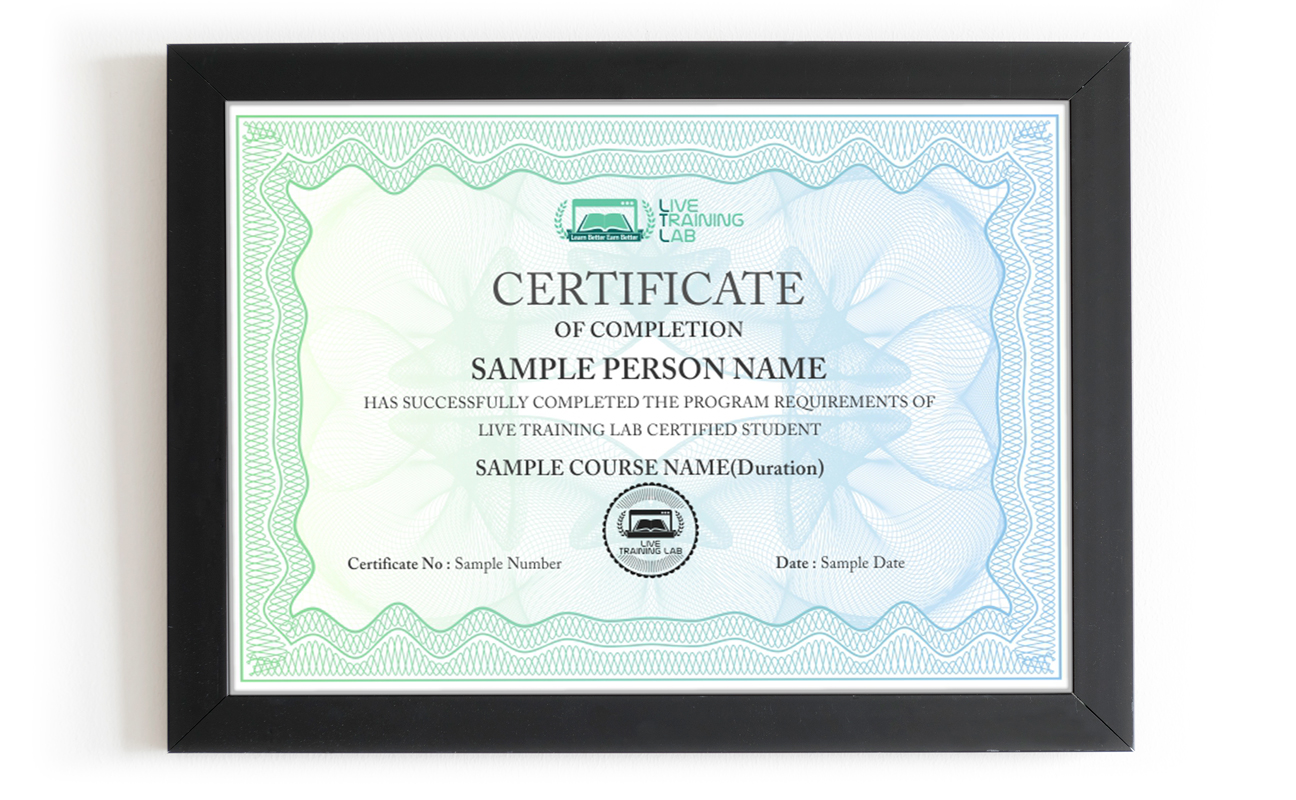
You can share your Certificate in the Certifications section of your social profile, on printed resumes, CVs, or other documents.
CURRICULUM
- HTTP Requests and Responses
- Static vs. Dynamic Pages
- Tag and Attribute Fundamentals
- Document Structure
- Using Inline Tags
- Using the <strong> and <mark> Tags
- Defining Inline Styles
- Using Character Entities
- Text-Related Properties
- Font-Related Properties
- Background-Related Properties
- Relational Selectors
- Pseudo-Classes and Elements
- Creating Printer-Friendly Pages
- Discussion of Common Image Formats
- Displaying Images on a Web Page
- Common Uses of Images
- Working with Client-Side Image Maps
- Defining a Form
- Common Form Attributes
- Understanding Form Submission
- Adding <label> and </label> Elements
- Single-line and Multi-line Text Fields
- Radio Buttons and Checkboxes
- Dropdown and Selection Lists
- Submit, Reset and Push Buttons
- Controlling Form Layout Using CSS and Tables
- Adding Comments
- Debugging JavaScript Code
- Declaring Variables with and without var
- Local vs. Global Variables
- Using JavaScript Primitive Types
- Performing Data Conversions
- Interacting with the User
- Using Strict Mode
- Working with JavaScript Operators
- Using the Math and Date Objects
- Creating String Objects
- Using String Methods
- Creating Number Objects
- Formatting Numbers
- Creating Arrays
- Accessing Array Elements
- Common Array Methods
- Defining and Using Associative Arrays
- Predefined Object Arrays
- Overview of the Browser Object Model
- Using the window Object
- Using the document Object
- navigator Object
- location Object
- screen Object
- Overview of JavaScript Events
- Adding Event Handlers
- Mouse and Keyboard Events
- Preventing Default Behavior
- Cancelling Events
- Overview of Regular Expressions in JavaScript
- Validating Strings with Regular Expressions
- Using Regular Expressions
- Overview of Ajax
- The XML Http Request Object
- Configuring an Ajax Request
- Handling Errors on readystatechange
- Using JSON with Ajax
- Creating a “Hint” Feature with Ajax
- Adding Headings
- Adding Paragraphs
- Working with the <div> Tag
- Adding Quotes to a Page
- HTML5 Semantic Tags
- Defining Hyperlinks
- Overview of Cascading Style Sheets (CSS)
- Creating CSS Rules
- Setting CSS Properties
- Defining Type Selectors
- Defining Class and ID Selectors
- Using Attribute Selectors
- Grouping and Combining Selectors
- Linking to External Style Sheets
- Embedded Style Sheets
- Overriding Styles with !important
- Positioning Elements
- Visual Effects
- Box-Related Properties
- Setting the Size of an Element
- Types of Lists
- Creating List Items Using the <ul> Tag
- Creating Nested Lists
- Using CSS to Style a List
- Using Lists to Create a Navigation Menu
- Adding Tables to a Page
- Working with <tr>, <th>, and <td> Elements
- Creating Nested Tables
- Using CSS to Style a Table
- Using rowspan and colspan Attributes
- Including JavaScript in a Page
- Evolution of the JavaScript Language
- Common Misconceptions About JavaScript
- Conditional Constructs
- Looping Constructs
- Branching Statements
- Equality and Identity Operators
- Logical and Comparison Operators
- Declaring Functions
- Invoking Functions
- Named and Anonymous Functions
- Function Scope and Hoisting
- Returning Values from a Function
- The “this” Keyword
- Explaining Closures
- Selecting DOM Elements
- Modifying Page Content with the DOM
- Manipulating CSS using JavaScript
- Accessing Forms from JavaScript
- Working with Form Elements
- Validating Form Fields
- Cancelling Form Submission
- Understanding Objects
- Defining Custom Objects
- Extending an Existing Object with prototype
- Using the “in” and “instanceof” Operators
- Overview of JSON
- Using JSON.stringify and JSON.parse
- Collecting Together Reference Material
- References
- Final Assessment Task (EXAM)
- Final Presentation
Passing Arguments
Batches, Timings and the 4-Week Plan
The course runs over 4 weeks and follows the curriculum above. Week one covers how the web works, document structure, tags and attributes, headings, paragraphs, semantic HTML5 tags, links and images. Week two is CSS3: rules and selectors, external and embedded stylesheets, text and font properties, the box model, positioning, lists, tables and visual effects. Week three moves to JavaScript, from variables, types and operators to functions, scope, closures and the browser object model. Week four covers the DOM, events, form validation, regular expressions, JSON and Ajax, plus the final assessment.
Batches run morning and evening so students and working people can both find a slot. Your timing is confirmed at enrolment, and the trainer stays reachable through the course.
Who This HTML5, CSS3 and JavaScript Course Is For
Complete beginners who want a first skill they can charge for. Designers who can mock up a page in Photoshop or Figma but cannot yet build it. Small business owners tired of paying for every tiny change to their site. WordPress users who want to edit a theme without breaking it. Anyone planning to move into a framework later and sensible enough to learn the basics first.
No programming background is needed. If you can use a computer comfortably, week one is the right starting point. If you already write some HTML and CSS, mention it at enrolment and the early sessions will move faster.
Why Choose LiveTrainingLab for Front-End
Plenty of people try to learn HTML, CSS and JavaScript from recorded videos and PDF files. It looks cheap and flexible, and then the folder sits untouched after the first layout that will not centre. Nobody looks at your code, nobody explains why the float broke, and there is no set day when the next lesson happens.
When we ask learners why the self-study route did not work for them, the answer is usually a version of the same thing.
Reading a PDF never built the skill. It turned into memorising tags instead of actually building a page. With a recording there is nobody to ask when your layout collapses or your script silently does nothing, and no work that gets checked. A live class fixes both. You share your screen, the trainer sees the problem, and it is sorted in the same session.
So the safer route is a live front-end class with a trainer who builds sites every day, watches your screen while you work, and sets the pace to suit you. In our sessions your trainer will:
- Start at your level, from your very first HTML tag or from wherever your current projects already need you to be.
- Give you a coding task in every session and fix your mistakes on the spot, so the reasoning behind the fix actually sticks.
Take your questions in English or Urdu, so you can ask freely and leave the session with the concept clear rather than half understood.
There is no shortage of people selling front-end training online, and the quality swings wildly from one to the next. Before you pay for any HTML, CSS and JavaScript course, ask a few plain questions about the class itself. Who teaches it, is it live or a playback, how big is the batch, what do you get to keep, and what happens if you miss a session. Here is where we stand:
-
Up to date HTML5, CSS3 and JavaScript practice files and a student guide you keep after the course
- A course certificate once the 4 weeks and the final assessment are done.
- A fixed batch timing and a trainer you can reach through the whole course.
Live sessions with screen sharing, taught in English or Urdu.
Fees and timings told to you clearly before you enrol.
-
You do not have to take our word for it. Sit in on a live LiveTrainingLab session first, see how the trainer handles questions, and decide after that.
The front-end course runs as a live class with a student guide and ready-made practice files, so there is always something in front of you to work on. The exercises come from trainers who build sites for clients, not from a generic manual. We are a Pakistan-based team, and students join our batches from home, from the office and from outside the country.
Two things we hear often from students:
- Many learners simply cannot travel to a classroom every week.
- Others hesitate to ask questions in front of a full room.
A live online class removes both problems. You join the session from wherever you are, with your camera on or off, and you can type your question in the chat if you would rather not speak. The trainer answers it in the same class, so nothing gets carried over to next week.
- You join from home, on camera or with your mic only, whichever suits you.
You can ask the trainer to repeat a step as many times as you need.
Our trainers build real websites outside the classroom, which is why the exercises look like client work rather than textbook drills. We would rather show you than tell you.
So LiveTrainingLab lets you sit in on a live session before you enrol. Watch how the class runs, ask a question, and decide from there. If it does not suit you, you have lost nothing but an hour.
Language stops a lot of capable people from getting far with front-end work. The logic is there, the English is not, and the class moves too quickly to follow.
So our trainers teach the HTML5, CSS3 and JavaScript course in English or Urdu, switching between the two mid-session when it helps someone follow. Batch timings are set when you enrol, and the course runs over 4 weeks.
LiveTrainingLab runs every class with screen sharing, so a session works much like sitting beside your trainer. You write the markup or the script, the trainer watches it happen, and the correction comes while the file is still open in front of you.
- Your trainer watches your page during the exercise and steps in the moment a style refuses to apply or a script throws an error, so you are never left stuck until the next session.
- Batches stay small, and you can ask in the chat or on mic, so there is no waiting for a turn and no feeling that you are holding the class up.
Trainers set the pace from what they see on your screen, and because audio and video run both ways, questions and answers go back and forth right through the session instead of piling up at the end.
LiveTrainingLab students leave with more than a certificate at the end of the 4 weeks. Here is what comes with the front-end course:
- Real website briefs to practise on
- Course material and practice files, free
- Guidance on building your first portfolio site
We want solid front-end skills to stay within reach of students and working people, not priced like a corporate bootcamp. The fee stays low without shortening the live sessions or crowding the batch.
Every student gets the same attention from the trainer, whichever batch they sit in. Ask us about current fee options when you enquire, and we will tell you what the 4-week course costs before you commit to anything.
None at all. Week one starts with an empty file and the first tags. If you already know some HTML or CSS, tell your trainer at enrolment and the early sessions will be pitched at your level instead.
A laptop or desktop, a steady internet connection and a headset. Classes run on Zoom, so the app or a browser is enough to join. Your trainer will help you set up a free code editor and show you the browser inspector in the first session.
About Instructor

Zohaib Baig
Before engineering, I developed and implemented CI (Continuous Improvement) management systems in companies across America in various industries to include a military finance organization.
₨32,000.00₨16,000.00