- Learn to Build Interactive & Dynamic Websites
- Add Animations, Effects & UI Interactions
- Handle User Events & Website Actions Easily
- Manipulate HTML, CSS & Website Elements
- Use jQuery to Simplify JavaScript Coding
- Learn AJAX for Data Without Page Reload
- Work on Real Website Projects During Training
- Boost Your Frontend Development Career
jQuery Programming Course

🎯 Learn jQuery & Build Interactive Websites
Live Online Training to Create Dynamic Websites, Add Effects & Improve Your Frontend Development Skills
COURSE DESCRIPTION
What Is the jQuery Programming Course?
jQuery is a JavaScript library, not a language of its own. It takes the long-winded parts of client-side scripting, selecting elements, handling events, animating things, and reduces them to a line or two of readable code.
Looking for a jQuery course near you? Ours runs live and online, so you join at your batch time, write the code along with your trainer, and get errors found on the spot instead of guessing alone.
This jQuery course gives you the practical side from the first week: selecting and changing page elements, handling clicks and keyboard input, animating with show, hide and fade, making Ajax requests, and using plugins and the jQuery UI widgets.
You also spend real time on the event model, including binding and removing handlers, delegated against direct events, and reading the event object, since that is where most jQuery bugs actually come from.
Looking for somewhere solid to learn jQuery? LiveTrainingLab runs live online jQuery batches open to students anywhere in Pakistan, so where you live makes no difference to the class you get.
LiveTrainingLab jQuery Course Goals
A large share of sites already running today were built with jQuery, and somebody still has to maintain them. If you are thinking about joining our jQuery course and are not sure what it covers or whether it suits your level, the next few lines set it out plainly. The 4-week plan runs from selectors and the DOM through events and effects to plugins, Ajax and jQuery UI.
Here is a short walk through the course so you know what the 4 weeks actually cover.
Build a Real jQuery Foundation, Step by Step
You build a proper foundation in jQuery syntax, selectors and the wrapped set, taught live in English or Urdu, with a trainer who can switch between the two mid-session when it helps you follow.
Each session gives you a coding task to finish while the trainer is still with you, so mistakes get caught the same day. Batches run at fixed morning and evening timings over 4 weeks, and you join from home.
Get Your Certificate After the 4 Weeks
You finish with a LiveTrainingLab certificate for the jQuery course, issued once the 4 weeks and the final project are complete. The certificate helps, but the interactive pages you build in class are what a client or an employer will actually ask to see.
Interactive pages you can show a client
Practice files from every live session
A final project to prove what you learned
Where jQuery Skills Get Used at Work
jQuery still runs through an enormous number of live sites, including most WordPress themes, so the maintenance and small-feature work keeps coming. Sliders, form validation, tabs, modals and Ajax loading are the sort of jobs you can take on once the 4 weeks are done.
What You Will Learn in These Live Classes
- Referencing jQuery in a Page
- Selecting page elements using jQuery selectors
- Selecting DOM elements using standard DOM methods
- Creating and using jQuery plugins
- Registering events in jQuery
- Setting CSS properties of page elements
- Making Ajax requests using the $.ajax function
- Changing the display style of an element using various effect methods
How Our Live jQuery Classes Work
Every session is taught live by a trainer at a fixed time, with a small batch. You have your editor and browser open and you write the code along with the class, so selectors, event handlers and effects get built while somebody is there to check them. Share your screen and the trainer can see why a click handler is firing twice or why your selector matched nothing.
Questions get answered as they come up, in English or Urdu. Each class ends with a coding task, and the next one opens by reviewing what you wrote. Over 4 weeks that leaves you with working interactive pages rather than copied snippets.
Why a Live Class Beats Copying jQuery Snippets
Most people meet jQuery by pasting a snippet from a forum into their page and hoping. Sometimes it works. When it does not, there is nothing to fall back on, because the code was never understood in the first place.
A live class fixes that. You write the selector yourself, watch it fail, and learn to check it in the console. Your trainer explains why a delegated handler was needed on content that loads later. That understanding is what lets you fix somebody else’s site, which is where most jQuery work actually comes from.
Course Schedule
| Start Date | Time | Seats Left | Price | |
|---|---|---|---|---|
| 26-Oct-26 : Mon | 12:00 PM | 2 | 15999 Rs | Register Now |
| 27-Oct-26 : Tue | 02:00 PM | 2 | 15999 Rs | Register Now |
| 28-Oct-26 : Wed | 04:00 PM | 2 | 15999 Rs | Register Now |
| 29-Oct-26 : Thu | 06:00 PM | 1 | 15999 Rs | Register Now |
| 30-Oct-26 : Fri | 08:00 PM | 4 | 15999 Rs | Register Now |
| 31-Oct-26 : Sat | 10:00 PM | 2 | 15999 Rs | Register Now |
| 01-Nov-26 : Sun | 10:00 AM | 4 | 15999 Rs | Register Now |
We provides this course in following city of Pakistan
- Karachi
- Islamabad
- Rawalpindi
- Azad Kashmir
- Lahore
- Sialkot
- Gujranwala
- Multan
- Gujrat
- Faisalabad
- Sahiwal
and other major cities in Pakistan.


100% online courses
Start instantly and learn at your own schedule.

Flexible Schedule
Set and maintain flexible deadlines.

Learn the latest skills
with on-demand training and development programs

Shareable certificate
Earn a Certificate upon completion
Shareable on Social Media
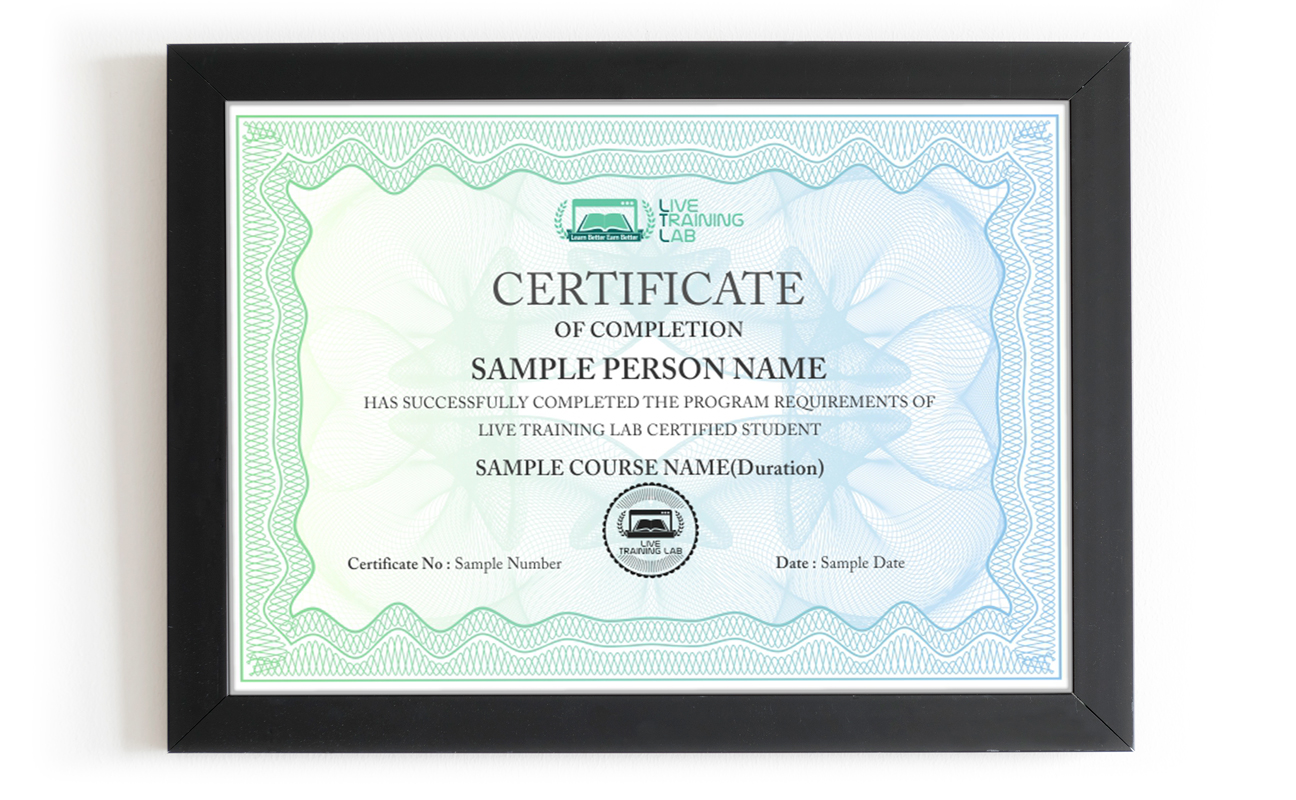
You can share your Certificate in the Certifications section of your social profile, on printed resumes, CVs, or other documents.
CURRICULUM
- Overview of jQuery
- Downloading and Using jQuery library
- Benefits of Using jQuery
- Uses of the jQuery function
- Accessing Attributes of an Element
- Traversing the DOM with parent(), children() and find()
- Working with Classes using addClass() and removeClass()
- Controlling Visibility Using show() and hide()
- Creating Slide and Fade Effects
- Creating Custom Animations
- Animation Queuing and Callback Functions
- Using Form Selectors and Filters
- Handling Keyboard and Focus Events
- Improving Behavior and Appearance
- Performing Form Validation
- Using the Validation Plugin
- Benefits of Plugins
- Integrating Popular Plugins
- Image Manipulation with Slideshows and Carousels
- Creating Custom Plugins
- document.ready()
- Using jQuery Selectors and Filters
- Selecting Single and Multiple Elements
- Operating on Wrapped Sets
- Method Chaining
- jQuery Event Model
- Binding and Removing Event Handlers with on() and off()
- Delegated and Direct Events
- Event Object
- Common jQuery Events
- Ajax Overview
- Loading Remote HTML
- Making Ajax Requests Using the $.ajax() Function
- Using the $.get() and $.post() Functions
- Disabling Animations
- Using Other Libraries with jQuery
- String and Array Manipulation
- Configuring and Downloading the UI Library
- Themes and Styles
- Using ThemeRoller
- Overview of UI Widgets
- Collecting Together Reference Material
- Final
- Presentation
Adding and Removing Elements
Batches, Timings and the 4-Week Plan
The jQuery course runs over 4 weeks and follows the curriculum above. Week one covers what jQuery is, including the library in a page, document.ready, selectors, filters, wrapped sets and method chaining. Week two is the DOM and effects: reading and setting attributes, adding and removing elements, CSS properties, show and hide, slide and fade, and custom animations with queuing and callbacks. Week three covers the event model, delegated and direct events, forms and validation. Week four is plugins, carousels and sliders, Ajax with $.ajax, $.get and $.post, jQuery UI and ThemeRoller, and the final project.
Batches run morning and evening so students and working people can both find a slot. Your timing is confirmed at enrolment, and the trainer stays reachable through the course.
Who This jQuery Course Is For
Front-end learners who can build a static page and want it to respond to the user. WordPress developers dealing with themes and plugins that are full of jQuery already. Freelancers who keep turning down small interactive jobs like sliders, tabs and form validation. Anyone maintaining an existing site written before the current frameworks arrived.
Some HTML, CSS and basic JavaScript makes the first week easier. If your JavaScript is shaky, say so at enrolment and your trainer will cover the pieces you need as they come up.
Why Choose LiveTrainingLab for jQuery
jQuery is a JavaScript library that turns long blocks of DOM code into a line or two. It is worth learning because so many working sites already use it, and because the concepts behind it, selectors, events and chaining, carry straight over to plain JavaScript.
For maintenance work, yes. A huge number of live sites and WordPress themes still run on it, and somebody has to keep them working. New projects often start with plain JavaScript or a framework instead, and your trainer will be straight with you about where each one fits.
The LiveTrainingLab jQuery course runs over 4 weeks of live classes, which is enough to write working code and finish a project. Getting quick with it comes from building things afterwards, so you keep the material and the practice files.
Some JavaScript helps a great deal, particularly variables, functions and how a callback works. You do not need to be fluent. Tell your trainer at enrolment what you already know and the early sessions will cover the gaps.
It widens the work you can take on, especially maintenance and small features on existing sites, which is where a lot of freelance jobs sit. It also pairs well with the HTML, CSS and JavaScript you already have.
Language stops a lot of capable people from getting far with programming. The logic is there, the English is not, and the class moves too quickly to follow.
So our trainers teach the jQuery course in English or Urdu, switching between the two mid-session when it helps someone follow. Ask your question in whichever language you think in. Batch timings are set when you enrol, and the course runs over 4 weeks.
LiveTrainingLab runs every class with screen sharing, so a session works much like sitting beside your trainer. You write the code, the trainer watches it happen, and the correction comes while the file is still open in front of you.
- Your trainer watches your code during the exercise and steps in the moment a selector returns nothing, so you are never left stuck until the next session.
- Batches stay small, and you can ask in the chat or on mic, so there is no waiting for a turn and no feeling that you are holding the class up.
Trainers set the pace from what they see on your screen, and because audio and video run both ways, questions and answers go back and forth right through the session instead of piling up at the end.
No. A free code editor and any modern browser are all you need, and your trainer will help you set both up in the first live session. The browser console does the rest of the work.
We want solid jQuery skills to stay within reach of students and working people, not priced like a corporate bootcamp. The fee stays low without shortening the live sessions or crowding the batch.
Every student gets the same attention from the trainer, whichever batch they sit in. Ask us about current fee options when you enquire, and we will tell you what the 4-week course costs before you commit to anything.
Basic JavaScript helps, particularly variables, functions and callbacks, but you do not need to be fluent. Tell your trainer what you already know at enrolment and the early sessions will fill the gaps as they come up.
A laptop or desktop, a steady internet connection and a headset. Classes run on Zoom, so the app or a browser is enough to join. Your trainer will help you set up a code editor and the browser console in the first session.
About Instructor

Zohaib Baig
Before engineering, I developed and implemented CI (Continuous Improvement) management systems in companies across America in various industries to include a military finance organization.
₨32,000.00₨16,000.00